Shopify vs WooCommerce vs TikTok Shop: Which Is Best for Beginners?
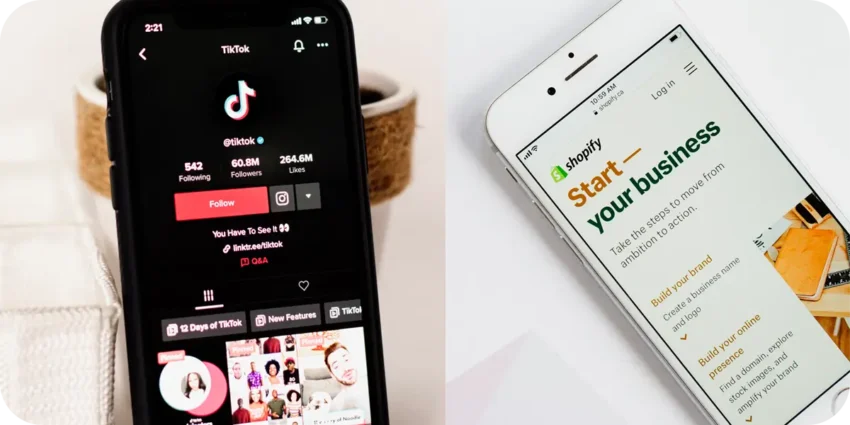
You’ve decided to start selling online. Smart move. But now comes the question that sends most beginners down a rabbit hole of forum arguments, conflicting YouTube opinions, and paralysing indecision: which platform do you actually use?
Shopify. WooCommerce. TikTok Shop. Three very different platforms, each with passionate advocates and equally passionate critics. The honest answer is: the best one depends entirely on your situation — your budget, your technical comfort, your product type, and how you plan to get customers.
In this guide we’re going to break all three down honestly — no affiliate bias, no vague “it depends” non-answers. By the end you’ll know exactly which platform suits your specific situation, and why. We’ll cover cost, ease of use, traffic potential, payment options, and the real-world tradeoffs nobody mentions in the marketing materials.
Shopify is the most popular dedicated e-commerce platform in the world — and for good reason. It was built from the ground up for selling online, which means every feature, every design decision, and every integration exists to help you sell more stuff with less friction. You don’t need to touch a single line of code. You don’t need to manage hosting. You don’t need to worry about security updates. You just build your store and focus on selling.
The trade-off is cost. Shopify’s Basic plan is $29/month, and that’s before you factor in transaction fees (0.5–2% unless you use Shopify Payments), paid apps from the Shopify App Store, and premium themes. For a beginner with no revenue yet, that monthly commitment feels significant. But for a store that’s actually selling, it’s trivial.
What Shopify does well:
- Dead simple setup. Pick a theme, add your products, connect a payment method. You can have a store live in a day — no technical skills required.
- Dropshipping integration. Shopify connects seamlessly with DSers, Spocket, Printful, and every major dropshipping and print-on-demand supplier. This is why it’s the default choice for dropshippers worldwide.
- Reliable and fast. Shopify handles hosting, speed optimisation, and security automatically. Your store will load quickly and stay online — even during traffic spikes.
- Checkout that converts. Shopify’s checkout is battle-tested and optimised for conversion. Customers trust it. Abandon cart rates are lower than most custom builds.
- Enormous app ecosystem. Over 8,000 apps for email marketing, upselling, loyalty programmes, reviews, SEO, and more — most with free tiers.
- Easiest platform to start with
- Best for dropshipping
- Professional out of the box
- Excellent customer support
- Scales as your business grows
- $29/month before you make a penny
- Transaction fees if not using Shopify Payments
- Apps add up quickly in cost
- You own the store but not the platform
- No built-in audience or traffic
WooCommerce is a free plugin that turns a WordPress website into a full e-commerce store. The core plugin itself costs nothing — which is why it powers more online stores than any other platform in the world. But “free” is a bit misleading: you’ll still need to pay for web hosting ($5–$15/month), a domain name (~$15/year), and potentially paid plugins and themes for features that come built-in with Shopify.
The real trade-off with WooCommerce is complexity versus control. You are responsible for hosting, security updates, backups, plugin compatibility, and performance optimisation. If something breaks, there’s no Shopify-style customer support team to call — you either fix it yourself, hire a developer, or dig through forum threads. For a tech-comfortable beginner with time to learn, that control is empowering. For someone who just wants to sell, it can be an overwhelming distraction.
What WooCommerce does well:
- Complete ownership and control. Your store, your server, your data. No platform can change its terms, raise its prices, or shut you down. You own everything.
- Lower ongoing costs. Quality hosting starts at $5–$10/month. If you’re comfortable managing WordPress, total monthly costs can be significantly lower than Shopify long-term.
- SEO powerhouse. WordPress is the best blogging platform in the world. If content marketing and SEO are central to your traffic strategy, running your store on WordPress means your blog and shop are seamlessly integrated.
- Unlimited customisation. With access to thousands of WordPress plugins and themes, you can build almost any feature imaginable — given enough time and technical skill.
- No transaction fees. WooCommerce takes zero percentage of your sales, regardless of payment method.
- Free plugin, lower base cost
- You own everything completely
- Superb for SEO and blogging
- No transaction fees ever
- Unlimited flexibility
- Steep learning curve for beginners
- You manage hosting and security
- Can get slow without optimisation
- No dedicated customer support
- “Free” adds up with paid plugins
TikTok Shop is the newest of the three — and the most different. It’s not really a standalone store builder. It’s a selling layer built directly into TikTok, allowing you to list products that appear in your videos, your profile, and TikTok’s shopping tab. Viewers can buy without ever leaving the app.
The massive appeal: TikTok’s algorithm gives organic reach to new sellers that no other platform offers. A well-made product video from a brand new account can get 100,000 views. That kind of organic traffic on Shopify would cost thousands in ads. The catch is that your success is entirely dependent on creating TikTok content consistently — it’s as much a content creation business as it is a retail business.
What TikTok Shop does well:
- Built-in audience of billions. No other platform gives new sellers access to this scale of organic reach for free. The algorithm actively promotes content from smaller accounts — a genuine leveller.
- Free to set up. No monthly fees. TikTok takes a commission (typically 2–8% depending on category and region) only when you make a sale — meaning your upfront risk is zero.
- In-app checkout friction is almost zero. Customers buy without leaving TikTok, removing a major drop-off point in the purchase journey.
- Affiliate creator programme. You can recruit TikTok creators to promote your products in exchange for commission — building a free sales force of content creators who only get paid when they sell.
- Viral product discovery. Products that resonate with TikTok’s audience can sell thousands of units from a single video — no ad spend required.
- Free to start — no monthly fees
- Massive built-in organic reach
- Frictionless in-app checkout
- Creator affiliate programme
- Low barrier to first sale
- Requires consistent video content
- Platform risk — TikTok bans are real
- Commission fees per sale
- Limited store customisation
- Not available in all countries
Head-to-Head Comparison: The Full Breakdown
| Category | 🛍️ Shopify | 🔧 WooCommerce | 🎵 TikTok Shop |
|---|---|---|---|
| Monthly cost | $29–$79/month | $5–$15 hosting | Free |
| Transaction fees | 0.5–2% (waived w/ Shopify Pay) | None | 2–8% per sale |
| Ease of setup | Very easy — no tech skills | Moderate — WordPress knowledge helps | Easy — but requires TikTok presence |
| Built-in traffic | None — you bring your own | None — SEO takes time | Massive organic reach via algorithm |
| Dropshipping support | Excellent — DSers, Spocket, etc. | Good with plugins | Limited — physical stock preferred |
| SEO potential | Good with apps | Excellent — WordPress is SEO-native | Minimal — platform-dependent |
| Store ownership | You own store, not platform | Full ownership — your server | Platform-dependent — no ownership |
| Customisation | Good — themes + app store | Unlimited with plugins | Minimal — template-based |
| Payment options | 100+ including Shopify Payments | 100+ via plugins | TikTok’s own payment system |
| Customer support | 24/7 live chat and phone | Community forums only | Seller support centre |
| Time to first sale | Days to weeks (needs traffic) | Weeks to months (SEO takes time) | Days — if content performs |
| Best product type | Physical, dropship, digital | Any — especially paired with blog | Visual, demonstrable, impulse buys |
| Platform risk | Low — stable platform | Minimal — you own hosting | High — bans and policy changes |
| Overall beginner score | 9 / 10 | 6 / 10 | 7.5 / 10 |
The Verdicts
Which One Should You Choose? A Simple Decision Guide
🧭 Answer these questions to find your platform:
Can You Use More Than One Platform?
Absolutely — and many successful sellers do. A common and effective combination is:
- Shopify as your primary store — the home base you own and control
- TikTok Shop connected to your Shopify inventory for organic video-driven sales
- A WordPress blog for SEO content that drives long-term organic traffic back to your Shopify store
Shopify actually integrates directly with TikTok Shop — you can sync your product catalogue between both platforms, so inventory and orders are managed in one place. This gives you the stability and ownership of Shopify with the organic reach of TikTok, without double the admin.
Frequently Asked Questions
Can I switch platforms later if I change my mind?
Yes — migrating from one platform to another is possible, though it involves some work. Product data, customer records, and order history can usually be exported and imported between platforms. The more established your store becomes, the more involved a migration is — which is another reason to choose carefully upfront rather than starting on whatever seems easiest and rebuilding later.
Which platform is best for selling digital products?
For digital products specifically — eBooks, templates, courses, presets — neither Shopify nor WooCommerce is the most efficient choice for beginners. Gumroad or Payhip are simpler and free to start. If you’re selling a mix of digital and physical products, Shopify handles both well. TikTok Shop is not suitable for digital products.
Does Shopify work in Ghana and Africa?
Yes — Shopify is available globally and you can create a store from Ghana. Payment processing options vary by country: Paystack and Flutterwave both integrate with Shopify and support Ghanaian merchants. Shopify Payments itself is not available in Ghana, so you’ll use a third-party payment gateway — check current integration options on the Shopify App Store for the most up-to-date list.
What about Etsy, Amazon, or eBay — why aren’t they in this comparison?
Etsy, Amazon, and eBay are marketplaces rather than store builders — you’re listing on their platform rather than building your own. They have significant advantages (built-in traffic, trusted checkout) but you’re also competing directly with thousands of other sellers on the same page, subject to their fees and policies, and building someone else’s platform rather than your own brand. We’ll cover marketplace selling in a dedicated guide on OurInternetBusiness.com.
Is WooCommerce really free?
The WooCommerce plugin is free. But you’ll still pay for web hosting ($5–$15/month with providers like SiteGround or Hostinger), a domain name (~$15/year), and potentially paid plugins for features like advanced shipping, subscriptions, or bookings. A fully functional WooCommerce store typically costs $10–$30/month in total — comparable to Shopify Basic, but with more technical responsibility on your side.
The Bottom Line
If you’re a complete beginner who wants to start selling online as quickly and simply as possible — start with Shopify. The free trial removes the financial risk, the setup is the simplest of the three, and it will comfortably support your business from first sale to serious revenue without needing to rebuild.
If you’re already a WordPress user with a content site — WooCommerce is the natural extension. Don’t migrate to Shopify just because it’s more popular. Your existing WordPress setup is a genuine advantage.
And if you have a product that looks great on video and you’re willing to create TikTok content consistently — TikTok Shop is worth testing. Just don’t build your whole business on a platform you don’t own.
The best platform is the one you actually launch on. Stop comparing and start building.
🛒 More E-commerce Guides at OurInternetBusiness.com
We cover dropshipping, e-commerce platforms, product research, and online selling strategies every week. Practical guides, no fluff. Visit OurInternetBusiness.com and bookmark it — new content every week.