How to Write a Winning Upwork Profile That Gets You Hired (With Examples)
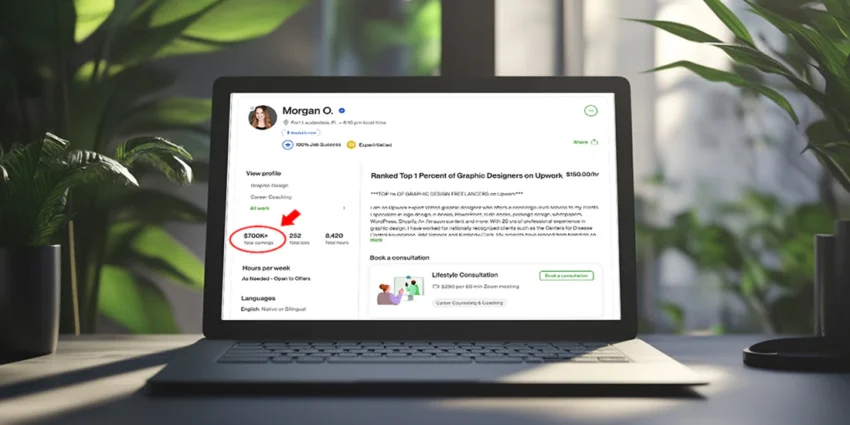
Your Upwork profile is the first thing a client sees before they decide whether to message you, shortlist you, or click away. It’s your resume, your portfolio, your pitch letter, and your first impression — all in one page. And for most beginners, it’s the single biggest barrier standing between them and their first paid work online.
The problem isn’t that clients are hard to find on Upwork. The problem is that most beginner profiles look exactly like every other beginner profile: vague headlines, generic overviews that describe the person instead of helping the client, no portfolio, and rates that signal either inexperience or desperation.
This guide fixes that. It covers every element of a winning Upwork profile — what to write, how to structure it, what mistakes kill your chances, and the exact AI prompts that help you write each section in under 10 minutes. By the end you’ll have a complete, client-ready profile that stands out from the majority of competition — even with zero prior Upwork experience.
Why Most Upwork Profiles Fail to Get Hired
Before building yours, it helps to understand exactly what causes most profiles to underperform. The pattern is consistent across thousands of beginner accounts:
- Generic headline: “Freelancer | Writer | Virtual Assistant | Graphic Designer” — describing what you do rather than who you help and how
- Overview that talks about you, not the client: “I am a passionate and dedicated professional with 5 years of experience in…” — clients scan overviews looking for themselves, not for your biography
- Too broad a niche: Offering every service to every client type means you’re competing with everyone for everything — and winning at nothing
- No portfolio: The empty “Portfolio” section is a conversion killer. Clients cannot verify your ability without proof of work.
- Wrong rate: Either too low (signals you’ll deliver low quality) or too high for a brand-new account with zero reviews
The solution to all of these problems is the same: clarity and specificity. A profile that speaks directly and confidently to one type of client about one specific outcome will outperform a broad profile targeting everyone — every time.
Your profile photo is the very first thing clients see — before they read your headline, before they see your rate, before anything. Studies on freelance platform conversions consistently show that profiles with professional photos receive significantly more interview invitations than those without.
You don’t need a professional photoshoot. You need a photo that looks clean, confident, and human:
- Face clearly visible: Head and shoulders, looking at the camera, good natural lighting
- Plain or simple background: A wall, a neutral-coloured backdrop, or a slightly blurred outdoor setting — nothing distracting
- Professional but not stiff: A natural, friendly expression. You don’t need to be in a suit unless that’s your niche.
- No filters, no group photos, no blurry images, no sunglasses
Your headline is the most searched, most scanned, most decisive piece of text on your entire profile. It appears in Upwork search results, in client inboxes when you submit proposals, and at the top of your profile page. Most freelancers waste it by listing job titles. The best freelancers use it to communicate a specific outcome for a specific client.
The formula: [What you do] for [who you do it for] | [Key differentiator or outcome]
“Freelance Writer | Content Creator | Blogger | SEO Specialist | Social Media Manager”
“B2B Content Writer for SaaS & Tech Brands | Long-form Articles That Rank and Convert”
“Virtual Assistant | Admin Support | Data Entry | Email Management | Scheduling”
“AI-Powered VA for Coaches & Consultants | Inbox, Research & Workflow Automation”
“Social Media Manager | Instagram | Facebook | TikTok | Content Creation”
“Social Media Manager for Local Businesses | Consistent Content, Real Engagement”
The overview is the longest and most important text section of your profile. It’s where clients actually decide whether you’re the right fit. Most beginners write their overview like a CV — listing qualifications, experience, and personality traits. The problem: clients aren’t reading your overview to learn about you. They’re reading it to find out if you can solve their problem.
The most effective Upwork overviews follow a client-first structure:
- Open with the client’s problem or goal (not “I am…”): The first sentence should make the right client nod and think “yes, that’s exactly my situation.” Start with them, not you.
- Bridge to how you help: “That’s where I come in.” Brief, confident, no fluff.
- What you specifically do: 2–3 sentences describing your services with precision. Not a list of every skill you’ve ever touched — the specific services this client would hire you for.
- Social proof or credibility signal: Relevant background, niche expertise, or a specific result — even if small. “I’ve written 200+ articles for B2B tech brands” is stronger than “I have years of writing experience.”
- Specific call to action: “Send me a message and let’s discuss your project” or “If that sounds like what you need, I’d love to chat.”
Full Example: Content Writer Profile Overview
That’s the gap I work in. I write long-form blog content and articles for SaaS, fintech, and professional services brands — content that’s genuinely researched, optimised for the right keywords, and edited until it sounds human, not AI-generated.
My process: I research your keyword and competitor landscape before I write a word. I produce a structured brief for your approval. I deliver a draft that needs minimal revision — and I’m quick to turn edits around.
I use Claude and Ahrefs to accelerate research and SEO optimisation, which means I work faster than most writers without sacrificing quality. In the past 12 months I’ve produced 150+ articles across the HR, productivity, and project management software niches.
If you’re looking for a writer who understands how content fits into a larger marketing strategy — not just someone who fills a brief — send me a message and let’s discuss your next project.
An empty portfolio section is one of the single biggest conversion barriers on a new Upwork profile. Clients can’t read your mind — without examples, even a perfectly written overview leaves them wondering “but can they actually do it?” The portfolio converts curiosity into confidence.
The good news: you don’t need prior Upwork clients to have a portfolio. You need proof of work. Here’s how to build one from scratch before your first paid job:
How to build a portfolio with zero prior clients:
- Create spec work: Write sample articles, design sample graphics, build sample social media calendars — all for imaginary or real brands you’d like to work with. Use Claude to draft and Canva to design. These are 100% valid portfolio pieces.
- Do one piece of free or discounted work: Write an article for a local business, manage a friend’s Instagram for a month, design a leaflet for a neighbour. Get permission to showcase the result.
- Document your own projects: Built a blog post on your own site? Managed your own social media? Designed your own brand materials? These count — include them with context.
- For VAs and service providers: Create a sample task document — a research report, an inbox management SOP, a social media content calendar — that shows exactly what your deliverable looks like. Even a well-formatted Google Doc demonstrates professionalism.
What to include for each portfolio item:
- A clear title: “B2B SaaS Blog Article — 1,500 words” or “Instagram Content Calendar — 30 Days”
- A brief description: What was the brief, what was the goal, what did you produce
- The actual work: Attach the file, link to the live URL, or upload a screenshot
- A result if you have one: Even a small one — “ranked page 1 for target keyword within 60 days”
Rate setting is where many beginners get stuck — either pricing too low out of fear of rejection, or pricing too high without the reviews to back it up. Both hurt your chances, just in different ways.
The truth about Upwork pricing: clients don’t automatically pick the cheapest option. They pick the option that feels like the best value — which is a combination of rate, profile quality, and proposal strength. A weak profile at $5/hour gets fewer jobs than a strong profile at $20/hour because the weak profile looks like a risk regardless of the low price.
Recommended starting rates by service type:
| Service | New Account (0 reviews) | After 5–10 reviews | After 20+ reviews |
|---|---|---|---|
| Content Writing (per word) | $0.05–$0.08/word | $0.08–$0.12/word | $0.12–$0.25+/word |
| Content Writing (per article) | $25–$50/article | $50–$100/article | $100–$300+/article |
| Virtual Assistant | $8–$15/hour | $15–$25/hour | $25–$45/hour |
| Social Media Management | $10–$20/hour | $20–$35/hour | $35–$60/hour |
| Graphic Design | $10–$20/hour | $20–$40/hour | $40–$80+/hour |
| Proofreading/Editing | $10–$18/hour | $18–$30/hour | $30–$50/hour |
Upwork’s search algorithm uses your listed skills to match you with relevant jobs and show your profile to clients searching for specific expertise. Getting this right increases how often your profile appears in search results — even before you have any reviews.
How to optimise your skills section:
- List 10–15 specific skills — Upwork allows up to 15. Don’t waste slots on ultra-broad terms (“writing”). Use specific terms clients search for (“SEO content writing,” “B2B blog writing,” “product description writing”).
- Match skills to your headline and overview — consistency signals to the algorithm that your profile is coherent and specialised, not scattered.
- Include tool names clients search for: “Canva,” “Claude AI,” “Ahrefs,” “Buffer,” “Mailchimp” — clients increasingly filter by tool familiarity.
- Take Upwork Skill Certifications: Free short tests that display on your profile and add a verification badge. Complete certifications relevant to your primary service.
Upwork Specialised Profiles (powerful and underused):
Upwork allows you to create multiple Specialised Profiles — essentially separate profile versions targeting different services or client types. If you offer both content writing and social media management, create a specialised profile for each. Each can have its own headline, overview, portfolio, and rate. This lets you rank in searches for both specialisations without the confused messaging of trying to cover everything in one profile.
A Complete Winning Upwork Profile: Full Example
Here’s what all the elements look like assembled into a coherent, client-ready profile for a social media manager targeting local UK businesses:
I handle it for you. I manage Instagram and Facebook for local UK businesses — salons, cafes, gyms, independent shops, and trades — producing a full week of content in one focused session each Monday and scheduling it to post automatically throughout the week.
My process: I create captions using your brand voice, design matching graphics in Canva, and schedule everything via Buffer. You review the content before it goes live and request any tweaks. Monthly I send you a simple performance report so you know what’s working.
I’ve spent the last six months managing social media for three local businesses in my area, growing combined following by 840 and consistently doubling their engagement rates. I’m now expanding to take on Upwork clients in the same space.
If you want consistent, professional social media without it taking another hour of your day — message me and let’s talk about what that looks like for your business.
2. “Before & After: 90 Days of Consistent Posting — Salon Instagram Account” (screenshots showing follower growth)
3. “Sample Caption Pack — 7 Days of Instagram Content for a Local Gym” (PDF)
6 Upwork Profile Mistakes That Cost You Contracts
The Profile Launch Checklist
Before submitting your first proposal, run through this checklist:
✔ Your Upwork Profile is Ready When…
- Profile photo is clear, professional, and shows your face
- Headline is under 70 characters and mentions a specific client type + outcome
- Overview opens with the client’s situation — not “I am…” or “My name is…”
- Overview is 200–280 words with the 5-part structure (problem → help → services → proof → CTA)
- At least 3 portfolio items uploaded — even spec work counts
- Skills section has 10–15 specific skills including tool names
- Rate is set in the appropriate “new account” range for your service type
- At least one Upwork Skill Certification completed (free in-platform test)
- Availability is set and accurate
- Profile video recorded (60 seconds, scripted, natural lighting) — optional but highly recommended
- You have read at least 10 job postings in your target category to understand client language
Frequently Asked Questions
Can I get hired on Upwork with zero reviews?
Yes — many freelancers land their first contract within 1–2 weeks of creating a well-built profile. The key is submitting personalised proposals to the right jobs (not mass-applying to everything), having a strong profile that compensates for the missing reviews, and targeting entry-level jobs initially where clients are more open to new freelancers. Your first 5-star review changes everything — prioritise landing that over maximising your first rate.
How many proposals should I submit per day?
Aim for 5–10 personalised proposals per day in your first two weeks. Personalised is the key word — a generic proposal sent to 50 jobs performs worse than 5 highly tailored proposals written specifically for each client’s stated needs. Read the job description carefully, reference something specific about the client’s project, and show you understand their situation before pitching yourself. Our full proposal templates are in the Copy-Paste Side Hustles guide.
How long does it take to get hired on Upwork?
With a well-built profile and consistent daily proposals, most beginners land their first contract within 1–3 weeks. Some get there faster with the right niche and strong proposals; some take longer if the profile or niche targeting needs refinement. The most common reason people don’t get hired in the first month isn’t competition — it’s a weak profile or proposals that don’t speak to the client’s specific situation.
Should I use AI to write my profile?
Yes — use the prompts in this guide to generate strong first drafts of your headline and overview. Then edit the output in your own voice: add specific details about your actual background, replace any phrases that don’t sound like you, and make sure the tone matches how you’d actually communicate with a client. AI gives you the structure and removes the blank-page problem; your editing gives it authenticity. The result — human-guided, AI-assisted — is consistently better than either pure AI output or writing from scratch.
Your Profile Is Your Best Proposal
Every proposal you send on Upwork links to your profile. If your profile isn’t ready, even a perfect proposal won’t convert — because the client will click through, scan what they see, and move on. A strong profile makes every proposal you send dramatically more likely to succeed.
Set aside two hours today. Use the prompts in this guide to draft your headline and overview with Claude. Upload three portfolio pieces — spec work counts. Set your rate thoughtfully. Then submit your first 5–8 proposals to well-targeted jobs.
The profile is the foundation. Everything else is built on top of it.
💼 More at OurInternetBusiness.com
Practical guides on freelancing, AI tools, and building real online income every week — no fluff, no hype. Visit OurInternetBusiness.com and bookmark it.