Top 50 AI Tools in 2025: The Ultimate Guide for Your Internet Business
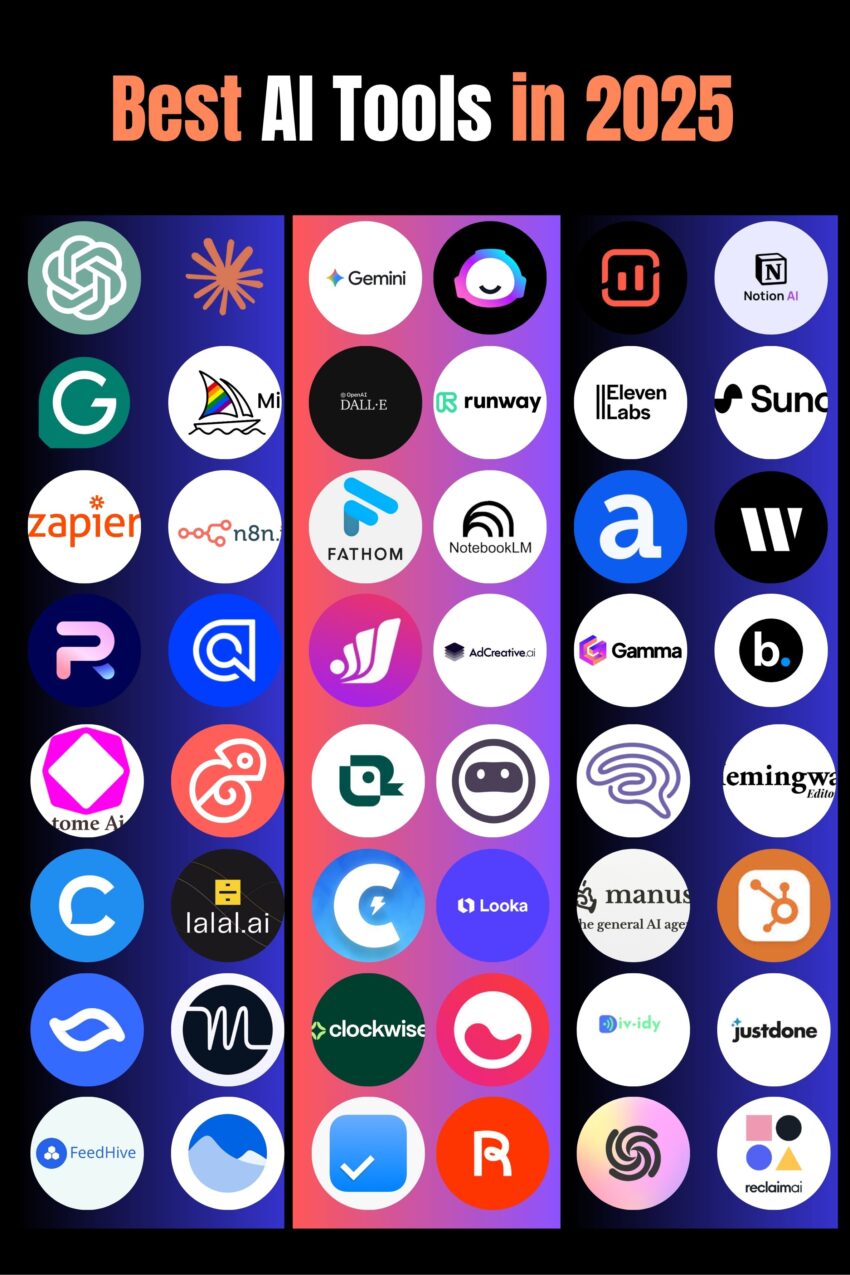
Look, I’ll be straight with you—the AI tool market is absolutely insane right now. It feels like every week there’s some new “game-changing” tool that promises to revolutionize your workflow. And honestly? Some of them actually deliver.
I’ve been testing AI tools obsessively for the past year (my credit card statement is… not pretty), and I’ve finally narrowed down the ones that are actually worth your time and money. We’re talking real productivity gains here, not just shiny demos that look cool but don’t actually help you ship work.
Here’s the thing: 35% of businesses are already using AI daily, and 90% of marketers say it’s saving them serious time. The global AI market is heading toward $826 billion by 2030, which means this isn’t a fad—it’s the new normal.
So whether you’re creating content, building software, running marketing campaigns, or just trying to get more done with less stress, this guide covers the 50 AI tools that are actually making a difference in 2025. I’ve included honest takes on what each tool does best, what it costs, and who should actually use it.
Let’s dive in.
Jump to the category you need.
AI Assistants & Chat Tools
1. ChatGPT (OpenAI)
Okay, let’s start with the obvious one. ChatGPT is basically the tool that kicked off this whole AI revolution, and it’s still crushing it. I use it probably 20 times a day—everything from drafting emails to debugging code to just bouncing ideas around when I’m stuck.
The real magic is how versatile it is. Need to write a product description? Done. Want help understanding a complex topic? It’s got you. Trying to figure out why your Python script won’t run? It’ll walk you through it step by step.
Best for: Pretty much everything—writing, coding, research, brainstorming, problem-solving Pricing: Free tier available, Plus at $20/month, Pro at $200/month Website: chat.openai.com
2. Claude (Anthropic)
I’m slightly biased here because I genuinely love Claude for certain tasks. While ChatGPT is my Swiss Army knife, Claude is like that friend who actually thinks before they speak. The responses are more thoughtful, more nuanced, and honestly better for complex analysis.
If I’m reviewing a contract, analyzing a complicated document, or need really detailed code explanations, Claude is my go-to. The context window is massive, so you can feed it entire codebases or lengthy documents without losing the thread.
Best for: Document analysis, code review, complex reasoning, longer conversations Pricing: Free tier available, Pro at $20/month Website: claude.ai
3. Google Gemini
Google finally showed up to the AI party and brought some serious heat. Gemini is particularly good if you’re already deep in the Google ecosystem—it plays really nicely with Docs, Sheets, and Gmail.
What sets it apart is the multimodal stuff. You can throw images, text, and data at it all at once, and it actually understands the connections. Plus, the research capabilities are solid since it can pull from Google’s massive index.
Best for: Research, Google Workspace integration, multimodal tasks Pricing: Free tier available, Advanced from $19.99/month Website: gemini.google.com
AI Writing & Content Creation
4. Jasper AI
If you’re running a content-heavy business, Jasper might just become your new best friend. It’s specifically built for marketing teams and churns out everything from blog posts to ad copy to social media captions.
What I like about it is the template library—over 50 pre-built templates that understand marketing frameworks. So it’s not just generic AI writing; it actually knows how to structure a landing page or craft a compelling product description.
Best for: Marketing teams, content agencies, e-commerce businesses Pricing: Starting at $39/month Website: jasper.ai
5. Copy.ai
Copy.ai is that tool you fire up when you need content fast. Got writer’s block? Blank page anxiety? This thing will get you unstuck in seconds.
It’s particularly good for social media content and quick marketing materials. The interface is super clean, and the AI actually understands context pretty well. I’ve used it for everything from Instagram captions to email subject lines.
Best for: Social media managers, quick content needs, brainstorming Pricing: Free plan available, Pro from $49/month Website: copy.ai
6. Writesonic
Writesonic is the budget-friendly option that doesn’t skimp on quality. Built on GPT-4, it’s got this cool tone analyzer that makes sure your content actually sounds like your brand.
I particularly like it for SEO content because it has built-in optimization features. The landing page generator is solid too—give it a product and target audience, and it’ll give you a decent first draft.
Best for: SEO writers, small businesses, landing page creation Pricing: Free trial available, paid plans from $12/month Website: writesonic.com
7. Writer
Writer is the enterprise player in this space. If you’re at a company where one wrong fact in a blog post could end up in litigation, this is your tool. It’s got proprietary LLMs and some serious fact-checking built in.
The brand voice stuff is legit too—you can train it on your company’s style guides and previous content, so everything stays on-brand. Not cheap, but if you’re managing content at scale with multiple writers, it pays for itself.
Best for: Enterprise teams, regulated industries, brand consistency at scale Pricing: Custom enterprise pricing Website: writer.com
AI Image Generation
8. DALL-E 3 (OpenAI)
Okay, image generation is where things get really wild. DALL-E 3 is OpenAI’s latest and honestly, the quality jump from version 2 is nuts. It actually understands what you’re asking for now.
Type “a minimalist product photo of wireless headphones on a wooden desk with morning light” and it’ll give you something you could actually use in a product listing. The photorealism is scary good. If you’ve got ChatGPT Plus, it’s already included.
Best for: Product visuals, blog headers, social media images, concept art Pricing: Included with ChatGPT Plus ($20/month), API pricing available Website: openai.com/dall-e-3
9. Midjourney
Midjourney is the artist of the AI image world. While DALL-E goes for photorealism, Midjourney gives you that distinctive, slightly ethereal, highly stylized look that’s all over design Twitter.
Fair warning: it runs through Discord, which is… quirky. But once you get past the learning curve, the results are stunning. I’ve seen entire brand identities built on Midjourney aesthetics.
Best for: Artistic projects, brand imagery, creative campaigns, mood boards Pricing: Basic $10/month, Standard $30/month, Pro $60/month Website: midjourney.com
10. Stable Diffusion
The open-source rebel of AI image generation. If you’re a developer or want complete control over your models, Stable Diffusion is where it’s at.
It’s technically free, but you’ll need to either run it locally (goodbye GPU) or use a hosting service. The upside? Total customization. You can train it on your own images, tweak parameters endlessly, and there’s no content filter police.
Best for: Developers, technical users, custom applications, unrestricted generation Pricing: Free (open-source), hosting services like RunPod available Website: stability.ai
11. Canva AI
Let’s be real—not everyone is a designer. Canva was already the go-to for non-designers, and now with AI features baked in, it’s even better.
Magic Write drafts your text, Magic Design creates entire layouts from scratch, and the AI color matching actually works. I use it all the time for social media graphics and quick presentations when I don’t want to open Figma.
Best for: Non-designers, social media content, quick presentations, team graphics Pricing: Free plan available, Pro from $12.99/month Website: canva.com
AI Video Generation & Editing
12. Sora (OpenAI)
Sora is OpenAI’s answer to “can AI make videos?” and holy crap, yes it can. Sora 2 just dropped and it’s genuinely impressive—we’re talking near-Hollywood quality from just text prompts.
The catch? It’s expensive. You need ChatGPT Pro ($200/month) to access it. But if you’re in video production or content creation, the time savings might justify it. I’ve seen people create entire ad campaigns with it.
Best for: High-end video content, creative professionals, marketing videos Pricing: Part of ChatGPT Pro ($200/month) Website: openai.com/sora
13. Google Veo 3
Google’s Veo 3 is currently leading the AI video race (yes, ahead of Sora for some use cases). The physics are more realistic, the motion is smoother, and it just gets what you’re asking for.
You can access it through Google’s AI Studio or Gemini. The quality mode takes a few minutes but the results are worth the wait. I’ve used it for product demos and b-roll footage with great success.
Best for: Professional video projects, marketing content, product demos Pricing: Google AI Pro $19.99/month (watermarked), Ultra $249.99/month (no watermark) Website: deepmind.google/technologies/veo
14. Runway Gen-3
Runway has been in the AI video game longer than most, and Gen-3 shows that experience. It’s not just video generation—it’s a full creative suite with editing tools, motion tracking, and special effects.
The Act-One feature for facial animation is particularly cool. You record yourself acting out a scene, and it can map that performance onto any character. Great for animation without the animation skills.
Best for: Video production, special effects, creative editing, animation Pricing: Basic $15/month, Standard $35/month, Pro $95/month Website: runwayml.com
15. Luma AI
Here’s the thing about Luma—it’s just pleasant to use. The interface is beautiful (think Apple-level design), and the Ray3 model produces really cinematic results.
It’s more affordable than Runway or Sora, and honestly, for most business use cases, the quality is plenty good enough. The 4K upscaling is a nice touch too.
Best for: Small businesses, content creators, social media videos, pleasant UX Pricing: Free (720p), Standard $29/month, Professional $99/month Website: lumalabs.ai
16. Kling AI
Kling is the budget pick that doesn’t feel budget. Chinese-made but globally available, it’s one of the more affordable options while still delivering solid quality.
The start-and-end frame feature is great for maintaining consistency across scenes. If you’re doing a lot of AI video and watching your budget, definitely check this one out.
Best for: Cost-conscious creators, high-volume content, longer videos Pricing: Free tier available, Pro from $8/month Website: klingai.com
17. HeyGen
HeyGen is the AI avatar specialist. If you need a talking head video without actually filming a person, this is your tool. The lip sync is scarily accurate, and the facial expressions are natural enough that viewers often can’t tell it’s AI.
Perfect for corporate training videos, product explainers, or if you’re camera-shy but need video content. Multi-language support is excellent too.
Best for: Corporate videos, e-learning, explainer videos, multilingual content Pricing: Free trial, Essentials $29/month, Pro $89/month Website: heygen.com
18. Synthesia
Synthesia is like HeyGen’s enterprise cousin. More features, more avatars, more control—but also more expensive. If you’re doing serious corporate video at scale, though, it’s worth it.
You can create custom avatars of your actual team members, which is pretty wild. Great for onboarding videos, training modules, and internal communications.
Best for: Enterprise training, corporate communications, scaled video production Pricing: Starter $22/month, Creator $67/month, Enterprise custom Website: synthesia.io
19. Pictory
Pictory turns blog posts into videos. That’s basically it, but it does it really well. Feed it an article, and it’ll pull out key points, find relevant stock footage, and assemble a video you can actually post.
Super handy if you’ve got a content library you want to repurpose for YouTube or social media without starting from scratch.
Best for: Content repurposing, blog-to-video, social media marketing Pricing: Standard $19/month, Premium $39/month, Teams $99/month Website: pictory.ai
20. Descript
Descript is more of a video editor that happens to use AI than an AI video generator. But the AI features are game-changing—you literally edit video by editing the transcript.
Delete a sentence from the transcript? It removes it from the video. Add a word? Descript generates your voice saying it. For podcasters and video creators who edit a lot, this saves hours.
Best for: Video editing, podcast production, transcription, content editing Pricing: Free plan available, Creator $12/month, Pro $24/month Website: descript.com
AI Audio & Music
21. Suno AI
Suno is absolutely wild. You type “make me a folk song about missing my dog” and it generates a full song—lyrics, melody, instruments, vocals, everything. It’s not going to replace your favorite artist, but for background music or quick audio content? Perfect.
I use the no-lyrics mode all the time for video background music. Way better than digging through stock music libraries.
Best for: Background music, original songs, quick audio content, podcasts Pricing: Free tier available, Pro $8/month, Premier $24/month Website: suno.ai
22. ElevenLabs
ElevenLabs is the gold standard for AI voices. The quality is so good it’s actually a bit unsettling. Over 300 voices including celebrity options, and the voices sound genuinely human.
I’ve used it for everything from audiobook narration to video voiceovers. The voice cloning feature is both amazing and slightly terrifying—you can create a digital clone of your own voice.
Best for: Voiceovers, audiobooks, podcasts, video narration, multilingual content Pricing: Free tier available, Starter $5/month, Creator $22/month Website: elevenlabs.io
23. LOVO AI
LOVO is ElevenLabs’ main competitor with some unique features. The Genny tool combines voice generation with video editing and auto-subtitles, which is super convenient.
The big draw is language support—100+ languages with natural-sounding voices. If you’re creating content for international audiences, LOVO handles it smoothly.
Best for: Multilingual content, video production, e-learning, marketing videos Pricing: Free plan available, Basic $24/month, Pro $48/month Website: lovo.ai
24. Speechify
Speechify is less about creating audio and more about consuming content. It turns any text into natural speech, which is perfect for getting through long articles or documents.
I use it constantly for research—load up a 50-page PDF and listen to it while I’m doing other stuff. The voices are natural enough that it doesn’t drive you crazy.
Best for: Content consumption, accessibility, learning, research Pricing: Free plan available, Premium $139/year Website: speechify.com
AI Coding & Development Tools
25. GitHub Copilot
GitHub Copilot basically set off the AI coding revolution, and it’s still the best all-around option. It lives in your IDE and suggests code as you type—like autocomplete on steroids.
What’s impressive is how well it understands context. It’s not just suggesting syntax; it understands what you’re trying to build and suggests entire functions or classes. Saves me probably 2-3 hours a day.
Best for: All types of development, team coding, learning new languages Pricing: Free for students/teachers, Individual $10/month, Business $19/user/month Website: github.com/features/copilot
26. Cursor
Cursor is the new hotness in AI coding. Built on VS Code, so it feels familiar, but with AI deeply integrated. The Agent mode is legitimately impressive—give it a task and it’ll work through it semi-autonomously.
I switched from VS Code to Cursor a few months ago and haven’t looked back. The AI chat that understands your entire codebase is a game-changer.
Best for: Modern web development, full-stack projects, autonomous coding Pricing: Free plan available, Pro $20/month Website: cursor.sh
27. Codeium
Codeium is the free alternative that’s actually good. Unlike Copilot, it doesn’t have any licensing controversies because it was only trained on permissively licensed code.
For individual developers or small teams watching their budget, this is the move. The quality is surprisingly close to Copilot, and the price can’t be beat.
Best for: Individual developers, open-source projects, budget-conscious teams Pricing: Free for individuals, Team plans available, Enterprise custom Website: codeium.com
28. Tabnine
Tabnine learns your coding style, which is its secret weapon. The more you use it, the better it gets at suggesting code that actually matches how you write.
Great for teams that want consistency across their codebase. It adapts to your patterns and helps maintain that consistency automatically.
Best for: Team coding, code consistency, personalized suggestions Pricing: Free plan available, Pro $12/month, Enterprise custom Website: tabnine.com
29. Replit
Replit is the browser-based IDE that makes collaboration stupid easy. The AI features help you code faster, and since it’s all in the browser, there’s zero setup.
Perfect for teaching, quick prototypes, or collaborative coding sessions. The deployment is one-click, which is pretty slick.
Best for: Quick prototypes, teaching, collaborative coding, beginners Pricing: Free plan available, Core $7/month, Teams $33/month Website: replit.com
30. Amazon Q Developer
Formerly CodeWhisperer, Amazon Q is the AWS-focused coding assistant. If you’re building cloud applications, it knows AWS inside and out.
The security scanning is solid, and the integration with AWS services is obviously seamless. Best for teams already invested in the AWS ecosystem.
Best for: AWS development, cloud applications, enterprise security Pricing: Free tier available, Pro $19/month Website: aws.amazon.com/q/developer
AI Marketing & SEO Tools
31. Surfer SEO
If you care about Google rankings (and who doesn’t?), Surfer SEO is essential. It analyzes top-ranking content and tells you exactly what you need to do to compete.
I run every blog post through Surfer before publishing. It’s not about keyword stuffing—it’s about understanding what Google expects for a given topic. The content editor is particularly useful.
Best for: Content optimization, SEO strategy, blog writing, organic traffic Pricing: Essential $69/month, Advanced $149/month, Max $249/month Website: surferseo.com
32. Delve AI
Delve creates detailed customer personas automatically by analyzing your data. Instead of making up who your customers might be, it shows you who they actually are.
Pulls from Google Analytics, CRM, social media, reviews—basically anywhere you have customer data. The personas are surprisingly accurate and actually useful for targeting.
Best for: Audience research, persona creation, competitor analysis, targeting Pricing: Lite $89/month, Plus $129/month, Premium $209/month Website: delve.ai
33. Brand24
Brand24 monitors what people are saying about your brand across the entire internet. Social media, blogs, forums, news sites—everything.
The sentiment analysis is solid, and the alerts are fast. I caught a potential PR issue once because Brand24 flagged negative sentiment before it blew up.
Best for: Brand monitoring, reputation management, social listening, PR Pricing: Individual $99/month, Team $179/month, Pro $299/month Website: brand24.com
34. Albert.ai
Albert is the autonomous AI marketer. You give it a budget and objectives, and it optimizes your ad campaigns across channels automatically.
It’s pricey and targeted at bigger companies, but if you’re spending serious money on ads, Albert can find efficiencies human marketers miss.
Best for: Digital advertising, campaign optimization, enterprises Pricing: Custom enterprise pricing (starts around $10K/month minimum ad spend) Website: albert.ai
35. Influencity
Managing influencer campaigns without Influencity (or something similar) is a nightmare. It helps you find influencers, manage campaigns, and track ROI all in one place.
The discovery features are particularly good—you can find micro-influencers in your niche that actually have engaged audiences.
Best for: Influencer marketing, campaign management, ROI tracking Pricing: Custom pricing based on team size and features Website: influencity.com
AI Productivity & Automation
36. Notion AI
Notion was already my second brain, and now with AI baked in, it’s even better. Ask it questions about your notes, have it draft content, summarize meetings—all within Notion.
The writing assistance is good, but the real power is asking it to find information in your workspace. “What did we decide about the pricing strategy?” and it actually finds the answer.
Best for: Knowledge management, team collaboration, note-taking, project management Pricing: $8-10 per member/month (added to Notion subscription) Website: notion.so/product/ai
37. Zapier
Zapier is the OG automation tool and still the most reliable. Over 5,000 integrations means you can connect basically any tools together.
The AI features are getting better too. You can describe what you want to automate in plain English, and it’ll build the workflow for you. Not sexy, but incredibly useful.
Best for: Workflow automation, app integration, task automation, businesses of all sizes Pricing: Free plan available, Starter $19.99/month, Professional $49/month Website: zapier.com
38. Make (Integromat)
Make is like Zapier’s more powerful, slightly nerdy cousin. Visual flowchart builder, better data transformation, and honestly better for complex workflows.
The learning curve is steeper, but if you need to do actual data processing or complex conditional logic, Make handles it better than Zapier.
Best for: Complex automations, data transformation, advanced workflows, developers Pricing: Free plan available, Core $10.59/month, Pro $18.82/month Website: make.com
39. Bardeen
Bardeen lives in your browser and automates web-based work. The Magic Box feature is cool—describe what you want to automate in English, and it builds it.
Great for things like scraping data from websites, automating LinkedIn outreach, or moving data between web apps. Much faster than building Zapier workflows for web-based tasks.
Best for: Browser automation, web scraping, sales automation, quick workflows Pricing: Free plan available, Pro $10/month, Business $15/month Website: bardeen.ai
40. Lindy
Lindy is all about creating custom AI agents for specific tasks. Need an AI assistant that triages your email? Build a Lindy. Want something that preps you for meetings? Build a Lindy.
It’s more flexible than traditional automation because the AI can make decisions, not just follow if-then rules.
Best for: Custom AI agents, email management, intelligent automation Pricing: Starter $18/month, Growth $98/month, Scale $298/month Website: lindy.ai
41. Clockwise (Prism)
Clockwise is the AI calendar assistant I didn’t know I needed. It automatically finds meeting times, optimizes your schedule for focus time, and handles the annoying back-and-forth of scheduling.
The team features are great—it can find times when your entire team is available without the usual calendar Tetris.
Best for: Calendar management, team scheduling, time optimization, meeting coordination Pricing: Free plan available, Teams $6.75/user/month, Business $11.50/user/month Website: clockwise.com
42. Otter.ai
Otter transcribes meetings in real-time and is scary accurate. It catches speaker names, generates summaries, and pulls out action items automatically.
I use it for every client call now. No more frantically taking notes—just have a conversation and review the transcript later.
Best for: Meeting transcription, note-taking, team collaboration, accessibility Pricing: Free plan available, Pro $8.33/month, Business $20/user/month Website: otter.ai
AI Presentation & Business Tools
43. Plus AI
Full disclosure: I tried a bunch of AI presentation tools and most of them are terrible. Plus AI is the exception. It works as an add-on for PowerPoint and Google Slides, so you’re using familiar tools.
The natural language editing is slick—”make this slide more data-focused” actually works. And it doesn’t generate those obviously AI presentations that look like they came from 2005.
Best for: Business presentations, sales decks, professional slides, teams Pricing: Free plan available, Pro $12/month, Business custom Website: plusdocs.com
44. Beautiful.ai
Beautiful.ai automatically applies design rules so your presentations don’t look terrible. It’s particularly good if you’re not a designer but need professional-looking slides.
The smart templates adjust as you add content, maintaining visual balance. It’s not as flexible as PowerPoint, but for most business presentations, it’s perfect.
Best for: Quick presentations, non-designers, startups, marketing decks Pricing: Pro $12/month, Team $50/month, Enterprise custom Website: beautiful.ai
45. Salesforce Einstein
If you’re already using Salesforce, Einstein is a no-brainer. It adds AI directly into your CRM for predictive analytics, automated workflows, and intelligent insights.
The lead scoring is particularly good—it can predict which leads are actually worth your sales team’s time based on historical data.
Best for: Sales teams, CRM enhancement, predictive analytics, enterprises Pricing: Varies by Salesforce edition, AI features from $50/user/month Website: salesforce.com/einstein
AI Design & Creative Tools
46. Adobe Firefly
Adobe brought AI into the Creative Cloud, and Firefly is genuinely useful. Generate images, extend photos, remove objects—all with Adobe’s quality standards.
If you’re already paying for Creative Cloud, it’s included. The integration with Photoshop and Illustrator is seamless.
Best for: Professional designers, Creative Cloud users, photo editing, graphic design Pricing: Included with Creative Cloud ($54.99/month), standalone plans available Website: adobe.com/products/firefly
47. Figma AI
Figma added AI features for design assistance and it’s pretty solid. Auto-layout improvements, design generation, and the ability to describe what you want and have it generate layouts.
The real power is in speeding up the tedious parts of design work while you focus on the creative decisions.
Best for: UI/UX design, product design, design teams, prototyping Pricing: Integrated with Figma plans, Professional $15/editor/month Website: figma.com
48. Booth.ai
Booth is hyper-specialized—it creates product photography. Upload your product, describe the scene you want, and it generates professional-looking product shots.
Perfect for e-commerce when you don’t have budget for proper product photography. The results are good enough for most online stores.
Best for: E-commerce, product photography, online stores, dropshipping Pricing: Starter $24/month, Professional $74/month Website: booth.ai
AI Research & Analysis
49. Perplexity AI
Perplexity is what Google search should be. You ask a question, it gives you a direct answer with sources. No more clicking through 10 blue links.
I use it constantly for research because it actually cites its sources, so you can verify the information. The Pro version gives you access to GPT-4 and Claude for more complex queries.
Best for: Research, fact-checking, quick answers, competitive intelligence Pricing: Free plan available, Pro $20/month Website: perplexity.ai
50. Consensus
Consensus is for when you need actual scientific research. It searches academic papers and gives you evidence-based answers with links to the actual studies.
Super useful if you’re writing anything that requires citations or just want to know what the research actually says about something.
Best for: Academic research, scientific literature, evidence-based content, citations Pricing: Free plan available, Premium $8.99/month, Enterprise custom Website: consensus.app
How to Choose the Right AI Tools (Without Going Broke)
Okay, so I just threw 50 tools at you. That’s overwhelming. Here’s how to actually approach this without subscribing to everything and destroying your credit card:
Start with Your Biggest Pain Point
Don’t try to fix everything at once. What’s the one thing that’s killing your productivity right now?
- Drowning in content creation? Start with Jasper or Copy.ai
- Spending hours on repetitive tasks? Zapier or Make
- Video content taking forever? Try Runway or HeyGen
- Coding eating up your day? GitHub Copilot or Cursor
Fix one major problem first, get ROI, then move to the next.
The “Free Trial Everything” Strategy
Almost every tool here has a free trial or freemium plan. Use them. I spent a month trying every AI writing tool before settling on my favorites. Your workflow is different from mine—what works for me might not work for you.
Set aside a week, trial 3-4 tools in one category, and pick the winner. Rinse and repeat.
Integration Is Everything
A tool that doesn’t play nice with your existing stack will sit unused. Check integrations before committing:
- Does it work with your CRM?
- Can it connect to your design tools?
- Is there a Zapier integration?
- Does it have an API if you need to build custom stuff?
The best tool that doesn’t integrate is worse than a mediocre tool that does.
Do the Math
Yeah, $50/month sounds like a lot. But if it saves you 10 hours a month and your time is worth $50/hour, that’s $450 in value for $50 in cost. The math works.
Calculate actual time savings, not aspirational ones. Be honest about whether you’ll actually use it.
The “Stack” Approach
Here’s my personal core stack that covers most business needs:
- Writing: ChatGPT Plus ($20) + Jasper ($39) = $59/month
- Automation: Zapier Pro ($49/month)
- Video: Runway Standard ($35/month)
- Coding: GitHub Copilot ($10/month)
- Research: Perplexity Pro ($20/month)
Total: $173/month for tools that save me probably 20-30 hours weekly. That’s the entire point.
Don’t Sleep On Free Tiers
Seriously good tools have surprisingly generous free tiers:
- ChatGPT Free is plenty for most casual use
- Canva Free is totally usable
- Codeium is completely free for individuals
- Notion AI free trial is 20 responses
Start free, upgrade when you hit limits.
What’s Actually Happening in AI Right Now (2025 Edition)
Let me give you the real trends I’m seeing, not the hype:
Multi-Agent Systems Are Getting Scary Good
We’re moving past single AI assistants. Tools like Lindy and CrewAI let you build teams of specialized AI agents that work together. One researches, one writes, one edits, one schedules—like a digital team that never sleeps.
Sounds futuristic but it’s happening now. I’ve got agent workflows handling entire content pipelines.
Context Windows Are HUGE Now
Remember when you could only feed AI a few paragraphs? Claude can now handle entire novels. Gemini can process hours of video. This changes everything—you can feed it your entire documentation library and ask questions.
Practical application: Instead of “summarize this one page,” it’s “analyze these 50 documents and find the patterns.”
Enterprise Is Where the Money Is
All the hot startups are pivoting to enterprise. Why? Because businesses will pay $10K/month for tools that individuals won’t pay $10/month for.
What this means for you: Better security, more compliance features, but also tools getting more expensive as they target bigger fish.
Multimodal Is the New Normal
“Text-only AI” sounds quaint now. Everything handles text, images, audio, and video. GPT-4, Gemini, Claude—they all do multimodal.
This is huge for content creators. Upload a video, get a transcript, thumbnail ideas, social posts, and a blog article. All from one upload.
The “All-in-One” Platform Battle
Instead of 20 specialized tools, companies are building everything-platforms. Google with Gemini + Workspace. Microsoft with Copilot across Office. OpenAI expanding beyond ChatGPT.
The question: Do you bet on specialized best-in-class tools or consolidated platforms? I’m still in the specialized camp, but it’s getting harder to argue against integration convenience.
My Honest Take
Here’s the thing about AI tools in 2025: They’re not magic, but they’re also not hype. They genuinely work, and the people using them effectively are absolutely crushing it compared to those who aren’t.
I’ve spent the last year deep in AI tools (probably too deep—my Slack is full of AI tool Discord invites), and here’s what I’ve learned:
Start small. Don’t try to revolutionize your entire workflow overnight. Pick 2-3 tools that solve actual problems you have right now. Master those. Then expand.
Focus on time-multipliers. The best AI tools don’t just make you a little faster—they completely eliminate entire categories of work. Descript deletes video editing from my life. GitHub Copilot makes coding feel like cheating. Find your time-multipliers.
The tools are improving weekly. Literally. I update this list monthly because the landscape shifts that fast. What’s “best” changes constantly. Stay curious, keep testing new tools, but don’t chase every shiny object.
AI amplifies, it doesn’t replace. You still need strategy. You still need creativity. You still need to understand your business. AI just handles the grunt work so you can focus on the stuff that actually matters.
The ROI is real. My AI tool stack costs me about $300/month. It saves me at least 30-40 hours monthly. Even at minimum wage, that’s profitable. At my actual rate, it’s a no-brainer.
So What Should You Do This Week?
Pick ONE category where you’re struggling:
- Content creation? Try ChatGPT Plus and Jasper
- Video content? Start with Runway or HeyGen free trials
- Coding? Install GitHub Copilot or Cursor
- Productivity? Set up Zapier automation
- Research? Use Perplexity for a week
Give it a real shot for 7 days. Track your time savings. If it works, keep it and add the next tool. If it doesn’t, try something else.
The businesses winning in 2025 aren’t the ones with the biggest AI budgets. They’re the ones using AI intentionally, strategically, and consistently.
What’s your move?
P.S. – I update this list monthly as new tools emerge and existing ones improve. Bookmark it, share it, and check back for updates. The AI space moves fast.
About OurInternetBusiness.com
We’re obsessed with helping online entrepreneurs and digital business owners cut through the noise and find tools that actually work. No fluff, no affiliate-link spam, just honest takes on what’s working right now.
Want more content like this? We publish weekly deep-dives on AI tools, growth strategies, and the real tactics behind successful internet businesses. Subscribe and we’ll send you the good stuff—no spam, unsubscribe anytime.
Got a tool we missed? AI moves fast and new tools launch weekly. Email us your recommendations and we’ll test them for the next update.
Found this helpful? Share it with another entrepreneur who’s drowning in AI tool choices. They’ll thank you.
Last Updated: November 2025
Disclaimer: Prices and features change fast in AI land. Always check the official websites for current details. Some links may be affiliate links, which helps us keep testing new tools and updating this guide. We only recommend tools we actually use and believe in.