How to Use AI to Create and Sell an eBook in a Weekend
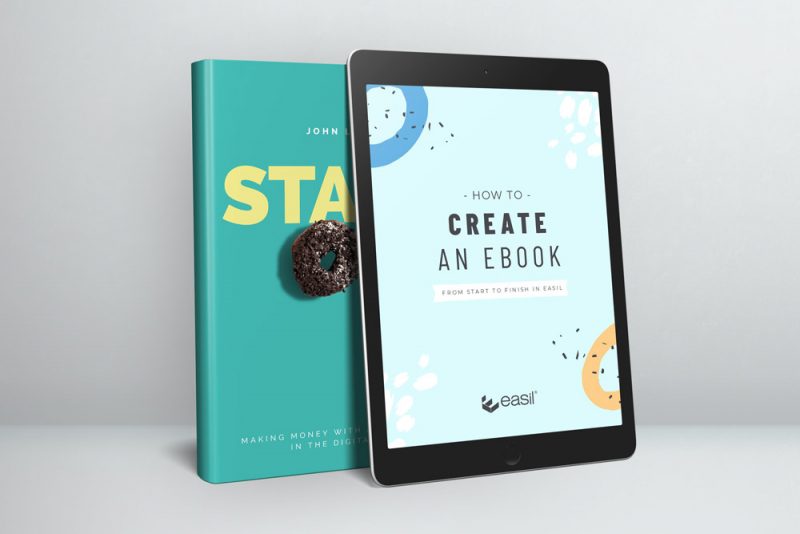
An eBook is one of the most straightforward passive income products you can build — and with AI tools, it’s genuinely possible to go from blank page to published, listed, and ready to sell in a single weekend. Not a 300-page textbook. A focused, practical, well-designed guide that solves one specific problem for one specific audience, priced at $9–$27, and selling on autopilot from Gumroad or Etsy long after you wrote it.
This guide walks through the entire process: choosing the right topic, using Claude to plan and write your content, designing a professional layout in Canva, setting up your listing on Gumroad, and the simple promotional steps that get your first sales. Everything covered here uses free tools or free tiers. Your total out-of-pocket cost for your first eBook: zero.
What Makes a Good eBook Topic (Before You Write a Word)
The most common mistake people make with eBooks is choosing a topic that interests them rather than one that solves a specific problem a specific person is actively looking for answers to. An eBook about “my journey into freelancing” might be interesting; an eBook called “How to Land Your First Upwork Client in 7 Days” solves a problem someone is Googling right now.
A good eBook topic has three qualities: people search for it, it solves a concrete problem, and your target reader would pay for the solution rather than spending three hours piecing it together from free content scattered across the internet.
How to find your topic:
- Look at what people ask in communities you’re part of. Reddit, Facebook groups, Quora — the questions people ask repeatedly are the topics worth answering thoroughly. A repeated question is a market signal.
- Think about what you’ve figured out that others struggle with. You don’t need to be an expert — you need to be a few steps ahead of the person who needs this guide. What did you spend hours figuring out that you could now explain in an afternoon?
- Check Etsy and Gumroad for validation. Search your topic on Etsy. If similar products have sales (visible via the “X sales” count), that’s evidence people buy guides on this topic. If similar products exist and sell, your version can too.
- Use keyword research to confirm search demand. Enter your topic idea into Ahrefs Free Keyword Generator. If people search for it on Google, they’ll search for it on Etsy and Gumroad too.
eBook topics that consistently sell well in 2026:
The Weekend Plan: From Idea to Listed in 48 Hours
📅 The Two-Day eBook Creation Schedule
A good outline is the difference between an eBook that flows naturally and one that feels like disconnected sections stapled together. Spend time here before writing anything — it’s much faster to restructure an outline than a completed draft.
Your outline should follow the reader’s logical journey through the problem: where they start (the situation), what’s getting in the way (the obstacles), and where they end up (the transformation). Each chapter should move them one clear step forward.
Don’t ask Claude to write the entire eBook in one prompt — the output quality drops significantly in very long generations. Work one chapter at a time, giving Claude the specific context for each section. This produces focused, useful content rather than padded filler.
After Claude generates each chapter:
- Read it aloud. Anything that sounds stiff, vague, or unlike how you’d actually explain this — rewrite it in your own words.
- Add one specific example. Claude’s examples tend to be generic. Replace them with a real or realistic specific example that your target reader can picture themselves in.
- Check every factual claim. Claude’s training data has a cutoff and can produce plausible-sounding but inaccurate statistics. Verify anything specific before publishing.
- Cut ruthlessly. If a sentence doesn’t add new information or move the reader forward, delete it. eBook readers paid for actionable content, not word count.
Design matters more than most people expect for digital products. A well-designed eBook signals quality and professionalism — and converts browsers into buyers when they see your product thumbnail on Gumroad or Etsy. A PDF that looks like a Google Doc does the opposite. Canva makes professional design accessible to non-designers.
How to design your eBook in Canva (free):
- Go to canva.com → search “eBook” in the template search bar → filter for free templates
- Choose a clean, text-focused template — minimal graphics, strong typography, good readability
- Set your brand colours (or choose a simple two-colour palette: one main colour + off-white)
- Copy your content chapter by chapter into the template, adjusting text boxes as needed
- Add a professional cover page with your title, subtitle, and a simple image or graphic
- Add a table of contents page after the cover
- Use Canva’s text styles consistently: one font for headings, one for body text throughout
- Add simple tip boxes or callout boxes for key points — Canva has built-in shapes for these
- Export as PDF (High Quality) when finished
What your eBook must include:
- A compelling cover with a clear title that communicates the outcome
- A table of contents — makes it feel like a real, structured product
- Your name or brand on the cover and/or final page
- A “resources” or “next steps” page at the end — listing tools you recommend, ideally with your affiliate links
- A brief author bio — one paragraph establishing why you’re the right person to write this guide
Gumroad is the simplest platform for selling digital products with zero upfront cost. You create a free account, upload your PDF, write a listing description, set a price, and your product is live in under an hour. Gumroad handles the payment, the file delivery, and the receipt — you receive the money to your connected bank account or PayPal.
Setting up your Gumroad listing:
- Create a free account at gumroad.com
- Click “New Product” → “Digital Product” → “File”
- Upload your PDF and set a name for the download
- Write your product title — include the main keyword your buyer would search for
- Write your product description (see prompt below)
- Upload your cover image as the product thumbnail
- Set your price
- Click Publish
Also consider listing on Etsy:
Etsy has a large built-in audience actively searching for digital guides and templates. A second listing on Etsy (small listing fee per item) gives you access to that organic search traffic on top of your Gumroad direct link. Write a separate Etsy listing description using the same Claude prompt structure, but with an Etsy-appropriate warm, maker-led tone.
Pricing a digital product is genuinely counterintuitive. Too low and buyers assume it’s low value — digital products priced at $1–$3 are treated like throw-away freebies and often never even opened. Too high without social proof or an established audience, and the friction of purchasing from an unknown creator slows sales.
Gumroad organic discovery is limited until you have reviews and sales history. Your first sales almost always come from direct promotion — sharing the product in the places where your exact target buyer already spends time. Here’s the launch week plan:
Day 1 (launch day):
- Share in 2–3 relevant Facebook groups where your target buyer hangs out — not as spam, but as a genuine resource: “I just wrote a guide on [problem] that I wish had existed when I was starting. If that’s useful to anyone here, happy to share the link.”
- Post on your personal LinkedIn or social media with the product thumbnail and a brief explanation of who it’s for and what problem it solves
- Email your list if you have one — even 50 subscribers is enough for first sales
Days 2–7 (momentum building):
- Create 5 Pinterest pins using Canva — each with a different image, but all linking to your Gumroad listing. Pinterest drives long-tail passive traffic that compounds over months.
- Answer relevant questions on Reddit or Quora in your niche — when your eBook is directly relevant, mention it naturally as a resource
- Ask your first buyer for a review. One genuine review dramatically improves conversion for every subsequent visitor.
- Share one piece of free content from inside the eBook on social media — a single tip or framework from the guide, positioning the full eBook as the complete version
The Complete Free Toolkit for Your eBook
| Task | Tool | Cost | What It Does |
|---|---|---|---|
| Outlining & writing | Claude | Free | Generates outline, writes each chapter, drafts product listings |
| Design & layout | Canva | Free | Professional eBook templates, cover design, export as PDF |
| Selling platform | Gumroad | Free (10% fee per sale) | Hosts your product, processes payments, delivers file to buyer |
| Second marketplace | Etsy | $0.20/listing | Built-in search audience for digital downloads |
| Topic/keyword validation | Ahrefs Free Tools | Free | Check search demand for your topic before investing time |
| Pinterest promotion | Buffer | Free | Schedule pins promoting your eBook across the week |
| Fact-checking / research | Perplexity AI | Free | Verify claims and find current data before publishing |
| Email list | Mailchimp | Free (500 subs) | Notify your list on launch day and build future buyer audience |
The eBook Launch Checklist
✔ Before You Hit Publish
- Topic validated — evidence of demand on Etsy, Gumroad, or via keyword research
- Target reader defined in one specific sentence
- Outline reviewed and logical — each chapter builds on the previous
- Every chapter edited personally — not raw AI output
- All factual claims verified
- Cover page looks professional at thumbnail size
- Table of contents included
- Author bio or brief intro paragraph included
- Resources/next steps page at the end (with any affiliate links)
- PDF exported at high quality from Canva
- Gumroad listing description speaks to buyer’s problem — not “introducing my eBook”
- Product thumbnail uploaded to Gumroad listing
- Price set based on page count and niche (see pricing guide above)
- 3 Facebook groups or communities identified for launch day sharing
- 5 Pinterest pins created and ready to schedule
From One Sale to Passive Income: What Comes After Launch
Your first eBook sale proves the model. What makes it genuinely passive is building the traffic infrastructure that brings buyers to your listing without you promoting it every week.
The compounding traffic sources:
- Pinterest: Each pin you create has a lifespan of months or years — far longer than any social post. Create new pins for your eBook regularly (different designs, different angles) and they keep driving traffic long after you’ve forgotten about them.
- Etsy SEO: Optimise your Etsy listing title and tags with the exact keywords your buyer searches. Etsy’s search algorithm rewards listings with views and conversions — your first reviews are the most important investment in long-term organic visibility.
- Your email list: Every new subscriber who joins your list and receives your welcome sequence is a potential buyer. If your eBook is relevant to your niche, mention it naturally in your onboarding emails — not as a hard sell, but as a useful resource.
- Your blog: If you have a blog, write a related article targeting a keyword that your target buyer searches for and link to your eBook naturally as a “go deeper” resource. A single ranking article can drive eBook sales for years.
Frequently Asked Questions
How long should my eBook be?
Length should match the complexity of the topic — not a word count target. A 2,500-word guide that thoroughly solves a specific problem is more valuable than a 10,000-word guide padded with repetition. Most successful beginner eBooks are 20–50 pages of readable, well-designed content. Think of it as a focused practical guide — not an academic text or a casual blog post.
Can I actually make meaningful money from one eBook?
Yes — though the income is rarely transformative from a single product. A well-positioned eBook priced at $17 selling 5 copies per month generates $85/month on autopilot. Ten eBooks each doing that generates $850/month passively. The model scales with catalogue size and audience size. See our income reports for how Priya built $1,200/month passive income from digital products within 6 months of starting with zero design background.
What if my first eBook doesn’t sell?
Look at the data diagnostically: Is your listing getting views but no sales? That’s a conversion problem — your description or price isn’t compelling enough. Getting no views at all? That’s a discovery problem — your listing isn’t being found through search or promotion. Most first eBooks need refinement to their listing description, title, or pricing before they find their stride. A product that doesn’t sell immediately is not a failed product — it’s a product with a marketing problem to solve.
Do I need a large audience to sell eBooks?
No — platform discovery on Etsy and Gumroad means you can sell to complete strangers who find your listing through search. Many sellers make consistent sales with zero social media following by optimising their Etsy and Gumroad listings for organic search. An email list and social following amplify sales — they’re not a prerequisite for them.
This Weekend, Not Eventually
The gap between knowing you could create and sell an eBook and actually doing it is almost always about starting. Once you’ve written your first one — chosen the topic, drafted the content, designed the layout, listed it, and made your first sale — every subsequent eBook is easier and faster. The process becomes familiar. The tools become fluent. The passive income compounds.
Pick your topic today. Open Claude tomorrow morning. By Sunday evening, you could have a live, selling digital product.
More at OurInternetBusiness.com
Practical guides on digital products, AI tools, and building real passive income — every week. Visit OurInternetBusiness.com and bookmark it.