How to Make Money with Canva in 2026: 7 Methods That Actually Pay
How to Make Money with Canva in 2026: 7 Methods That Actually Pay
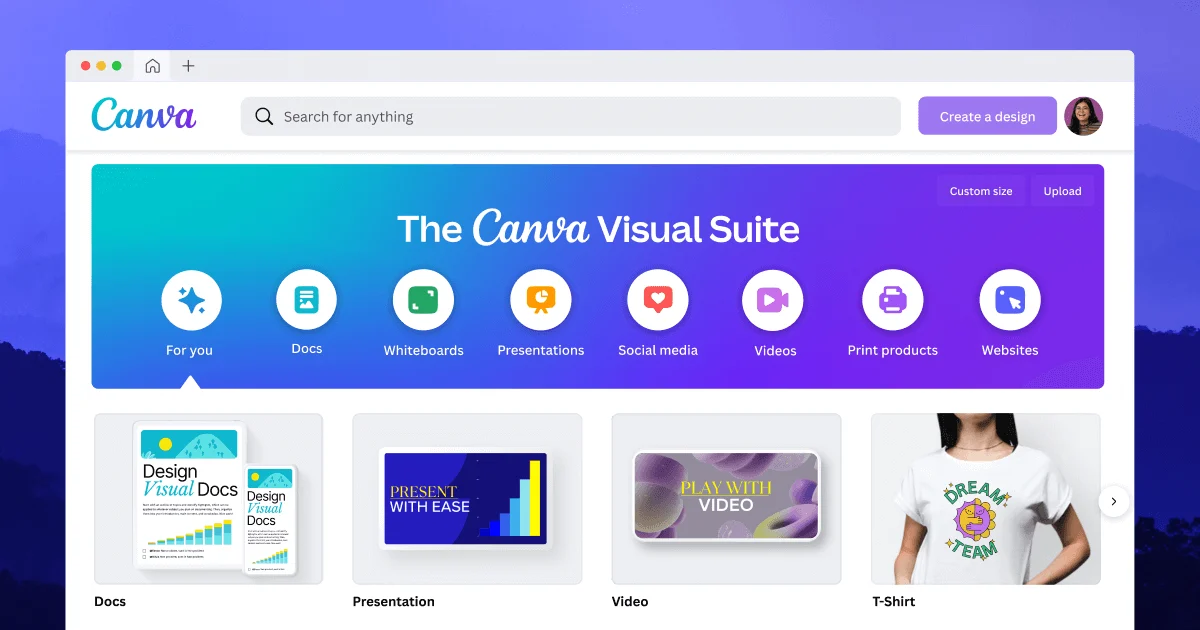
Canva has over 200 million users — and most of them are leaving money on the table. Here are the 7 income methods ranked by earning potential, with honest income data, the right platform for each, and exactly which method fits your situation.
Canva is the most democratising design tool ever built. Ten years ago, creating professional graphics required Adobe Photoshop, a steep learning curve, and years of practice. Today, anyone with an internet connection can produce polished, professional-looking designs in an hour.
That accessibility is exactly why Canva income is real — and growing. Businesses need graphics constantly. Creators need templates. Bloggers need eBook covers. Coaches need presentations. And most of them would rather pay someone who knows Canva well than spend hours figuring it out themselves.
This guide covers the 7 best ways to turn Canva into income in 2026 — ranked by earnings potential, with honest numbers, the right platforms for each method, and the one mistake each approach needs you to avoid.
The 7 Methods Compared: Income vs Time to First Dollar
Not all Canva income methods are equal. Some generate passive income but take months to build. Others pay fast but require ongoing effort. Here’s the honest comparison before we go deep on each:
Monthly Income Potential vs Time to First Payment — All 7 Methods
Income ranges based on active, consistent effort. Upper ranges require established portfolio/audience. Most beginners land at lower end in first 60–90 days.
The 7 Methods — Full Breakdown
Offering Canva design services directly to clients — logos, social media graphics, brand kits, flyers, email headers, business card designs — is the fastest way to turn Canva skills into income. Businesses are the natural buyers: they need these assets regularly, they don’t have time to learn Canva themselves, and they pay for convenience and quality.
The key to charging real rates (not $5/logo) is positioning. “Canva graphic design” is a commodity. “Brand kit design for new Shopify stores” is a specialist service. “Social media content packages for fitness coaches” is a niche product. The more specific your positioning, the higher the rates you can charge and the less competition you face.
Where to find clients: Fiverr and Upwork for inbound leads; cold email to local businesses; LinkedIn for B2B clients. Start with one niche, build 3–5 portfolio samples specifically for that niche, and charge slightly below market rate for your first 3 clients to get reviews. Then raise prices.
Realistic rates: Social media graphics pack: $50–$150. Brand kit (logo + colours + fonts): $200–$500. Custom presentation deck: $150–$400. Monthly social media retainer (8–12 posts/month): $200–$500/client.
Canva templates are one of the most genuinely passive digital products available. You design a template once — a social media post pack, a presentation, a resume, a lead magnet layout — and sell it repeatedly. Every download earns revenue with no additional work. The Canva ecosystem makes this especially powerful: buyers get a Canva template link, open it, customise it in their own account, and you receive no support requests because Canva is intuitive enough for anyone to use.
What sells best on Etsy in 2026: Social media content bundles (Instagram post packs, Reels cover packs), business presentation templates, wedding and event stationery, resume and CV templates, coaching and course materials, media kits, and lead magnet/eBook templates. Seasonal content (Christmas card bundles, Valentine’s Day posts) spikes predictably every year.
Pricing: Individual templates: $5–$15. Template bundles (10–50 designs): $15–$49. Full brand kits and business template packs: $39–$99. The bundle strategy is most effective — the average order value is higher, buyers perceive more value, and it positions you against sellers who only sell individual files.
The honest catch: Etsy search is competitive for generic templates. The sellers who earn $1,000+/month are either in a specific niche (e.g. “templates for wedding photographers” or “Canva templates for real estate agents”) or have built a library of 50+ products over 6–12 months of consistent uploads.
Design graphics in Canva and upload them to print-on-demand platforms — Printify, Printful, Redbubble, Merch by Amazon, Zazzle — where they’re printed on T-shirts, mugs, phone cases, tote bags, and more. When someone buys, the platform handles printing, shipping, and customer service. You earn a royalty. Zero inventory, zero upfront cost.
What sells on POD: Niche humour (teacher jokes, nurse quotes, dog breed sayings), hobby-specific designs (hiking, fishing, gaming), motivational quotes, minimalist illustrations, and location-specific designs (“Accra, Ghana” t-shirts consistently outperform generic “Africa” designs on POD platforms because the specific audience is identifiable).
The Canva-to-POD workflow: Create design in Canva (use transparent background, minimum 4500×5400px for print quality, PNG format) → download → upload to Redbubble or Printify → write SEO-optimised listing title and tags → repeat. The more designs you upload, the more passive income surface area you create. Sellers with 200+ designs consistently outperform sellers with 20 designs.
Managing a local business’s social media using Canva as your design tool: you create content, schedule posts, write captions, and maintain their visual brand. The business doesn’t care whether you use Canva or Photoshop — they care that their Instagram looks professional and posts go out consistently. Canva makes you faster and more productive, which means you can manage more clients for the same time investment.
The monthly retainer model: One client typically takes 4–6 hours/week. At £200–£400/month per client, two clients generates £400–£800/month for 8–12 hours of work — a significantly higher rate per hour than most traditional employment. Local independent businesses (restaurants, salons, gyms, boutiques, estate agents, solicitors) are the best target market — they need social media, they know they need it, and they don’t have the time or skills to do it.
How to get first clients: Walk into 10 local businesses near you. Bring a printed one-page proposal showing their current social (inactive or inconsistent) vs what consistent, well-designed content would look like. Offer a free trial month for the first client. One case study client with improved engagement is enough to pitch the next five clients confidently.
Beyond Canva templates, digital products designed in Canva include: printable planners and trackers, habit trackers, budget spreadsheet cover pages, journal pages, wall art printables, birthday party decorations, wedding invitations, recipe cards, and workbook pages for coaches and educators. These sell on Etsy as downloadable PDFs — the buyer purchases, downloads, and prints at home. No shipping, no inventory, no post-purchase involvement from you.
The underrated niche opportunity: Most printable sellers target broad audiences (“daily planner”). The sellers earning consistently well are in specific niches: “ADHD daily planner,” “postpartum recovery tracker,” “property investor deal analysis sheet,” “Montessori activity cards.” The narrower the niche, the less competition and the more the buyer feels “this was made for me.”
Pricing: Simple single printable: $3–$8. Planner bundles: $8–$25. Full planner kits: $15–$49. Bundle designs that complement each other (a goal-setting planner + habit tracker + weekly review sheet sold together) to increase average order value.
Businesses, startups, coaches, and consultants need professional presentations constantly — sales decks, investor pitch decks, webinar slide decks, course presentations, conference talks. Canva’s presentation builder produces genuinely professional output, and most buyers can’t distinguish a great Canva deck from one built in Keynote or PowerPoint.
Why this pays well: A startup’s investor deck is one of the most important documents their business will ever produce. Coaches use their webinar deck for live events in front of hundreds of people. The perceived value is very high, which means rates are correspondingly high. A basic 15-slide sales deck: $150–$300. An investor pitch deck with custom graphics and data visualisations: $400–$1,200. A full webinar presentation (50+ slides): $300–$800.
Where to find clients: Upwork has consistent demand for pitch deck and presentation design — this is a better fit for Upwork’s project-based model than Fiverr. LinkedIn outreach to startup founders and business coaches works well. Search “looking for pitch deck designer” or “need help with presentation” on LinkedIn and Twitter/X.
If you use Canva fluently, you know things that 190 million other Canva users don’t. Tutorial content — YouTube walkthroughs, TikTok design tips, Instagram reels showing Canva tricks — consistently performs well because the audience is enormous and searchable. Canva tutorials on YouTube often rank in Google search results, not just YouTube, which provides ongoing passive discovery.
The monetisation stack for Canva tutorials: YouTube ad revenue from views. Affiliate income from Canva Pro referrals (Canva pays affiliates for upgrades). Digital product sales embedded in video descriptions (your own Canva templates — Method 2 above). Paid course or membership once you have an audience. The tutorial audience naturally converts to template buyers at high rates because they’ve already seen you work in Canva.
Starting point: Create one useful 5–10 minute Canva tutorial per week on YouTube. Target specific search queries: “how to make an Instagram story template in Canva,” “Canva brand kit tutorial for small businesses,” “how to design a lead magnet in Canva.” After 3–6 months of consistent uploads, videos start ranking and income grows without proportional effort increase.
Which Canva Income Method Fits You?
🎯 Find Your Best Canva Income Method
Answer two questions to get a personalised recommendation
Your recommendation
—
Canva Income Calculator
💰 Estimate Your Monthly Canva Income
💡 The most powerful Canva income model combines active client work (reliable monthly income) with passive template or POD sales (income that grows without extra hours). Start active, build passive in parallel.
Where to Sell — Platform Comparison
| Platform | Best for | Commission | Traffic | Verdict |
|---|---|---|---|---|
| Etsy | Templates, printables, digital products | 6.5% transaction + listing fee | High — built-in search traffic | ⭐ Best for passive template sales |
| Fiverr | Freelance design services | 20% (drops with level) | High — buyer searches | ⭐ Best for service beginners |
| Upwork | Presentations, brand kits, B2B design | 20% first $500 per client | Medium — requires proposals | Good for higher-value projects |
| Creative Market | Premium templates, design assets | 30% platform share | Medium — design-savvy audience | Good once you have a portfolio |
| Gumroad | Templates, courses, digital products | 10% flat fee | Low — you drive your own traffic | Best if you have social audience |
| Redbubble | Print on demand designs | ~20% markup on base price | High — built-in POD marketplace | ⭐ Best for POD beginners |
| Your own website | All methods — maximum control | 0% (except payment processor) | Zero — build your own traffic | Best long-term, hardest to start |
Do You Need Canva Pro to Make Money?
No — the free tier is sufficient for Methods 1, 4, 5 (partially), and 7. You can design professional graphics, create templates, and build social media content without spending a penny on Canva Pro.
Canva Pro ($15/month or $120/year) becomes worth it when:
- You’re selling templates — Pro unlocks the ability to share templates as Canva links (buyers open and edit them directly in Canva)
- You’re designing for multiple clients — the Brand Kit feature (Pro) lets you store each client’s colours, fonts, and logos separately
- You need background removal — for print on demand and product design this saves enormous time
- You’re designing for print — Pro unlocks higher resolution exports and print bleed options
If you’re just starting, use the free tier and upgrade to Pro only when you’ve earned your first $100 from Canva and can justify the cost from income rather than from savings. Many successful Canva sellers waited 2–3 months before upgrading.
6 Mistakes That Keep Canva Earners Stuck at $0
Frequently Asked Questions
Can I really make money with Canva without being a professional designer?
Yes — and this is the fundamental appeal of Canva as an income tool. The platform’s drag-and-drop interface, thousands of starting templates, and intuitive colour and font tools mean that someone with zero formal design training can produce professional-quality output within hours of first using the platform. The income methods in this guide don’t require a design degree, Adobe experience, or years of practice. They require an understanding of what buyers need, consistency in creating and listing products, and patience to build momentum over the first 60–90 days.
How much does it cost to start making money with Canva?
Zero, for most methods. Canva’s free tier is sufficient to start freelance design services, social media management, digital product creation, teaching tutorials, and basic print on demand design. The only method that strongly benefits from Canva Pro from the start is template selling — because Pro allows you to share templates as Canva links, which is the standard delivery format for template sellers on Etsy. At $15/month, Canva Pro pays for itself with a single template bundle sale.
Is selling Canva templates on Etsy still worth it in 2026?
Yes — with the caveat that success requires SEO research before design, rather than designing first and hoping buyers find you. The Canva template market on Etsy has grown significantly but so has competition. The sellers doing well in 2026 are niche-specific (templates for a specific type of business or occasion), have libraries of 50–200+ products, and invest time in keyword-optimised listing titles and descriptions. Generic “Instagram post template” sellers face fierce competition. “Canva templates for personal trainers” or “gym membership promotion templates” sellers face far less.
Can I make money with Canva in Ghana?
Fully — and with a significant advantage. Etsy, Gumroad, Creative Market, and Fiverr all accept sellers from Ghana. Canva itself is available globally. Earnings from international buyers are in USD or GBP, which at current exchange rates represent strong purchasing power relative to local costs. Payment via Payoneer (recommended — integrates with most platforms and transfers to Ghanaian bank accounts) is the standard setup for Ghanaian digital sellers. For the complete payment infrastructure guide, see the international payment guide for African freelancers.
Pick One Method and Start This Week
The income potential from Canva is real — but only for people who choose one method, commit to it for 90 days, and build consistently rather than dabbling across everything. The interactive picker above will tell you which method fits your situation best. The calculator shows what that method is worth financially at scale.
The last thing to do is choose and start. Create your first template, pitch your first client, upload your first design. The Canva learning curve is shallow and the market is established. What’s waiting on the other side of 90 days of consistent effort is a real income stream that compounds.
More at OurInternetBusiness.com
Practical guides on Canva income, digital products, freelancing, and building real online income from scratch. Visit OurInternetBusiness.com and bookmark it.