How to Use Pinterest for E-Commerce Marketing in 2025
Let’s face it—digital marketing can feel like a noisy, oversaturated battlefield these days. You’re trying to stand out on Instagram, compete with viral videos on TikTok, and make sense of ever-changing Facebook ad policies.
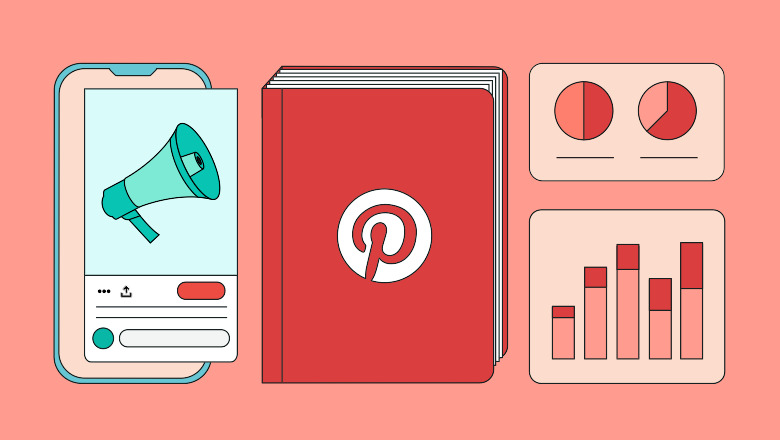
But in the middle of all that chaos, one platform quietly continues to deliver consistent traffic, high buyer intent, and long-term visibility: Pinterest.
And no, Pinterest isn’t just for brides-to-be, DIY lovers, and food bloggers anymore.
In 2025, Pinterest is a high-converting visual search engine. It’s where people go not just to scroll—but to plan, shop, and take action. Over 80% of weekly users report discovering new products or brands on Pinterest. Better yet? Many users are in a buying mindset from the moment they land.
If you run an e-commerce business and you’re not leveraging Pinterest, you’re leaving money (and visibility) on the table. Let’s change that.
🧰 Step 1: Set Up Your Pinterest Business Account the Right Way
Before diving into content, you need the right infrastructure to succeed.
✅ Switch to a Pinterest Business Account
Head to Pinterest Business and either convert your existing account or create a new one. This unlocks:
- Pinterest analytics
- Rich Pins
- Ad manager
- Audience insights
- Pinterest Tag integration
🎯 Optimize Your Profile
Think of your Pinterest profile as a storefront.
- Username: Use your brand name or a relevant variation
- Bio: Describe what your brand offers using keywords (e.g., “Handcrafted eco-friendly home decor | Global shipping 🌍”)
- Profile Image: Use a clean logo or the face of your brand
- Website: Link directly to your e-commerce store and claim it
🔖 Install the Pinterest Tag
Pinterest Tag is like the Facebook Pixel. It helps you:
- Track user behavior after clicking a pin
- Create retargeting audiences
- Optimize your Pinterest ad campaigns
Set it up via Shopify (super easy), or manually add it to your site’s header using the code Pinterest provides.
🎨 Step 2: Create Scroll-Stopping, Shareable Pins
Pinterest is all about aesthetics. Your visuals need to work harder than they would on other platforms.
🎨 Design with Canva (No Design Skills Needed)
Canva’s Pinterest templates are a game-changer. They’re optimized for size (1000 x 1500 px), layout, and visual hierarchy.
💡 Pro Tips:
- Use vertical images
- Stick to your brand colors for consistency
- Add text overlays that clearly explain the benefit (“5 Must-Have Skincare Tools for Glowing Skin”)
- Include your logo or website name subtly
📌 Pin Types That Drive Results
Not all pins are created equal. Here’s what works best for e-commerce:
- Product Pins – Show off your item clearly (bonus points for lifestyle shots)
- Tutorial Pins – Think “How to style our linen dress 3 ways”
- Comparison Pins – Before/after transformations work well
- Collection Pins – Feature 3–5 related items in one pin
- Infographic Pins – Educational and save-worthy (e.g., “Skincare Routine for Oily Skin” using your products)
Remember, Pinterest is evergreen—a pin you create today could still bring traffic 12 months from now.
🔍 Step 3: Optimize Your Pins for Pinterest SEO
Pinterest isn’t just a social platform—it’s a search engine. And like Google, it rewards relevant, keyword-rich content.
📈 Do Keyword Research (Yes, Really)
Start by typing your product name into the Pinterest search bar and look at the autocomplete suggestions. These are popular search queries.
For example:
- “Vegan leather bags”
- “Minimalist home office decor”
- “Cute workout clothes 2025”
Use tools like Pinterest Trends and Ubersuggest to dive deeper.
🧠 Where to Insert Keywords
- Pin Title: Be clear and descriptive (e.g., “Organic Cotton Baby Onesies | Newborn Essentials 2025”)
- Pin Description: Include long-tail keywords naturally
- Board Titles: Reflect your store’s categories (“Eco-Friendly Fashion”)
- Board Descriptions: Add context and related terms
- Alt Text: Use descriptive language for accessibility and search
🗂️ Step 4: Build Strategic Boards Like Mini Storefronts
Your boards should mirror your store layout.
Examples:
- “Skincare Tools for Acne-Prone Skin”
- “Gifts for Coffee Lovers ☕”
- “Budget-Friendly Home Decor Ideas”
Each board helps Pinterest (and users) understand your brand’s niche. The more relevant, the better.
💡 Pro Tip: Create a seasonal board strategy. Boards like “Holiday Gift Ideas 2025” or “Summer Essentials” can spike traffic during key seasons.
🚀 Step 5: Promote Your Pins Like a Pro
Even though Pinterest can drive traffic for free, promoting your pins can help speed up growth.
📌 Use Pinterest Ads (Start Small)
Promoted Pins let you reach specific audiences with targeting options like:
- Interests
- Keywords
- Location
- Device
- Website visitors (via Pinterest Tag)
Start with a $5–$10/day budget and test 2–3 pin designs. Monitor your ad performance inside Pinterest Ads Manager and optimize accordingly.
🛍️ Leverage Rich Pins
Rich Pins pull metadata directly from your site and keep product info like price, stock, and title up-to-date.
Types include:
- Product Pins
- Article Pins
- Recipe Pins
They add credibility and increase CTR (click-through rate). Shopify and WooCommerce users can enable Rich Pins easily with plugins or built-in features.
🧠 Final Thoughts: Pinterest Is a Long-Term E-Commerce Growth Engine
Pinterest is the slow-burn strategy that pays off for years. Unlike Instagram posts that fade in 48 hours, a well-optimized pin can bring thousands of visitors months (even years) after it’s published.
To Recap:
✅ Set up and optimize a Pinterest Business Account
✅ Create scroll-stopping, branded pins using Canva
✅ Use keywords and SEO best practices across your profile and content
✅ Build category-specific boards that align with your store
✅ Use Pinterest Ads and Rich Pins to amplify your reach
Whether you sell planners, skincare, clothes, or digital downloads—Pinterest gives your e-commerce business visibility in a searchable, shelf-life-extending, and sales-focused environment.