Best CRM Tools That Support Mobile Money (MoMo) Integrations
Best CRM Tools That Support Mobile Money (MoMo) Integrations
As with Zapier and Make.com, the honest starting point is this: almost no CRM has a button labelled “MTN MoMo.” What they have is integration with Paystack and Flutterwave — both of which support Mobile Money collection — and the quality of THAT integration is what actually determines whether “CRM + MoMo” works for your business.
A CRM (Customer Relationship Manager) is where customer records, deal/order history, and communication threads live in one place — the natural next step once the order logging from earlier guides in this series starts to feel like “a list” rather than “a system.” The question “does this CRM support MoMo” is really two separate questions: does it integrate with Paystack/Flutterwave (which support Mobile Money), and how well does that integration actually work in practice.
This guide covers six CRM options across budget levels, evaluated specifically on Paystack/Flutterwave integration quality, WhatsApp support (the second non-negotiable for most African businesses, per the automation tools guide), and free-tier usability.
Two Paths to “CRM + MoMo”
Native Gateway Integration vs Automation Bridge
Both end at the same place — a customer record updated when a Mobile Money payment succeeds
6 CRM Options Evaluated
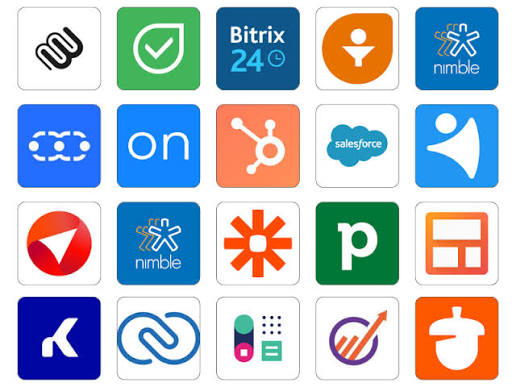
Zoho has a long catalogue of integrations including Paystack and Flutterwave, multi-currency support built into the core product (relevant for the “mixed local + diaspora” audience from the WooCommerce plugins guide), and an established presence across African markets. Bigin (Zoho’s lighter, purpose-built CRM for very small teams) offers an even simpler starting point if Zoho CRM’s full feature set feels like overkill initially.
HubSpot’s free CRM tier is genuinely usable — contact management, deal pipelines, email tracking — with no African market restriction. The trade-off: HubSpot doesn’t have a native Paystack/Flutterwave integration in the way Zoho does, so MoMo-linked automation runs through Path B (the Make.com/Zapier bridge) rather than a built-in connector.
Bitrix24 bundles CRM with project management, internal chat, and telephony in one platform — appealing for small teams wanting fewer separate subscriptions. It’s mentioned alongside Zoho and HubSpot as commonly deployed with Mobile Money integration via Paystack/Flutterwave in African SME contexts, though its integration ecosystem is less extensively documented for this specific use case than Zoho’s.
Unlike the global platforms above (which support African payment gateways as one integration among many), CRM Africa is built around Flutterwave integration as a primary feature — the CRM-to-payment connection is closer to the product’s core design than an add-on. For businesses where “does this work with Flutterwave” is the single most important question, a platform built around that question from the start is worth direct evaluation.
Pipedrive’s strength is visual deal-pipeline simplicity — if your business model is sales-conversation-heavy (B2B services, larger custom orders negotiated over WhatsApp before a MoMo payment confirms the deal), Pipedrive’s pipeline view fits that workflow well. No free tier, but entry pricing is competitive among paid-only CRMs.
Not a dedicated CRM product — but worth naming explicitly, because the Google Sheets order hub from the automation tools guide already functions as a lightweight CRM once it includes a “Customers” tab (name, phone, email, total spend, last order date) alongside the “Orders” tab. For very small operations, this may genuinely be sufficient, and it’s already connected to the Paystack webhook from earlier in this series.
data.customer.email as the lookup key to aggregate per-customer totals over time.
Side-by-Side Comparison
| CRM | Free Tier | MoMo Path | Best For | |
|---|---|---|---|---|
| Zoho CRM / Bigin | Yes (3 users) | A (native) | Paid tiers only | Growing teams wanting an established platform with African presence |
| HubSpot Free | Yes (generous) | B (bridge) | Via integrations | Teams wanting a polished free CRM, comfortable building the Make.com bridge |
| Bitrix24 | Yes (verify limits) | A or B | Built-in chat/multi-channel | Teams wanting CRM + internal collaboration in one subscription |
| CRM Africa | Verify current offer | A (by design) | Verify | Businesses where Flutterwave integration depth is the top priority |
| Pipedrive | No | B (bridge) | Via integrations | Sales-pipeline-heavy, deal-negotiation businesses |
| Sheet-Based | $0 | B (already built) | Via existing automation | Very small operations already using this series’ Paystack automation |
Which CRM Fits Your Business?
🧭 Get a Recommendation
Two questions about your current situation
Recommended CRM
—
The Generic Bridge Pattern (Path B, Any CRM)
Reuse Your Paystack → Make.com Scenario
If you built the Paystack webhook from earlier in this series, adding a CRM is incremental
For any CRM with a Make.com app (HubSpot, Pipedrive, Zoho all qualify), the addition to an existing Paystack scenario is typically two new modules: one to find-or-create the contact (using the customer’s email as the lookup key, exactly as suggested for the Sheet-based “Customers” tab), and one to create a deal or log the payment against that contact’s record. This is additive to Recipe 1 from the Paystack guide — your order log and your CRM both update from the same trigger, no duplicate webhook setup needed.
5 Mistakes When Choosing a “MoMo CRM”
Frequently Asked Questions
Do I need a CRM at all if I already have the order/customer Sheet from this series?
Not necessarily — the Sheet-based approach (option 6 above) is a legitimate long-term choice for small operations, not just a starting point to graduate from. The signals that a dedicated CRM adds real value: a sales team where multiple people need permission-controlled access to the same customer records, a sales process complex enough to benefit from a visual pipeline (deals moving through stages), or a need for automated email/follow-up sequences that Sheets + Make.com can approximate but not match natively. If none of these apply, the Sheet-based system remains a reasonable, $0 choice.
Which CRM is best specifically for Ghana?
Among the options above, Zoho CRM has the most extensively documented African presence and Paystack/Flutterwave integration history, making it a reasonable default for Ghana-based businesses wanting a native (Path A) integration with an established platform. CRM Africa’s native Flutterwave focus is worth direct evaluation, but its MTN MoMo coverage via Flutterwave’s partnership should be verified for Ghana specifically, as the documented partnership countries don’t explicitly list Ghana — confirm current coverage directly before relying on it.
Can I use the CRM’s contact data to send WhatsApp messages via the automation from earlier guides?
Yes — if a CRM contact record includes the customer’s phone number (captured via the bridge pattern’s field mapping, sourced from the order/payment payload), that number can be used identically to how the WhatsApp confirmations guide uses billing.phone — including the same international-format reformatting step. The CRM becomes another place that number lives, alongside (or instead of) the Sheet, depending on which system is your source of truth.
Is it worth paying for WhatsApp integration inside the CRM, versus the separate WhatsApp Business API setup from earlier guides?
These solve related but different problems. The WhatsApp Business API setup (from the WhatsApp confirmations guide) sends automated transactional messages — order confirmations, shipping updates — triggered by events. CRM-integrated WhatsApp typically means agent-facing features: seeing WhatsApp conversation history inside the customer’s CRM record, so a team member handling a customer has full context. For a solo seller, the automated transactional messages likely matter more and don’t require CRM-tier WhatsApp integration. For a small team where multiple people handle customer conversations, CRM-integrated WhatsApp (even if it requires a paid tier) addresses a genuine “who said what to this customer” visibility problem that automation alone doesn’t solve.
Start From What You Already Have
If the Paystack → Make.com webhook from earlier in this series is already running, the lowest-effort “CRM” upgrade is adding a Customers tab to the existing Sheet (option 6) — genuinely $0 and minutes of setup. When that stops being enough — multiple team members needing access, a sales pipeline emerging, WhatsApp conversation history needing to live with the customer record — Zoho CRM’s combination of free tier, African presence, and native Paystack/Flutterwave integration makes it the most documented next step, with HubSpot’s free tier as a strong alternative for those comfortable building the Make.com bridge from Path B.
More at OurInternetBusiness.com
Practical guides on automation, online business systems, and growing income from Ghana and across Africa. Visit OurInternetBusiness.com and bookmark it.