📧 Abandoned Cart Recovery · Email Automation
How to Set Up Automated Follow-Up Emails for Abandoned Carts
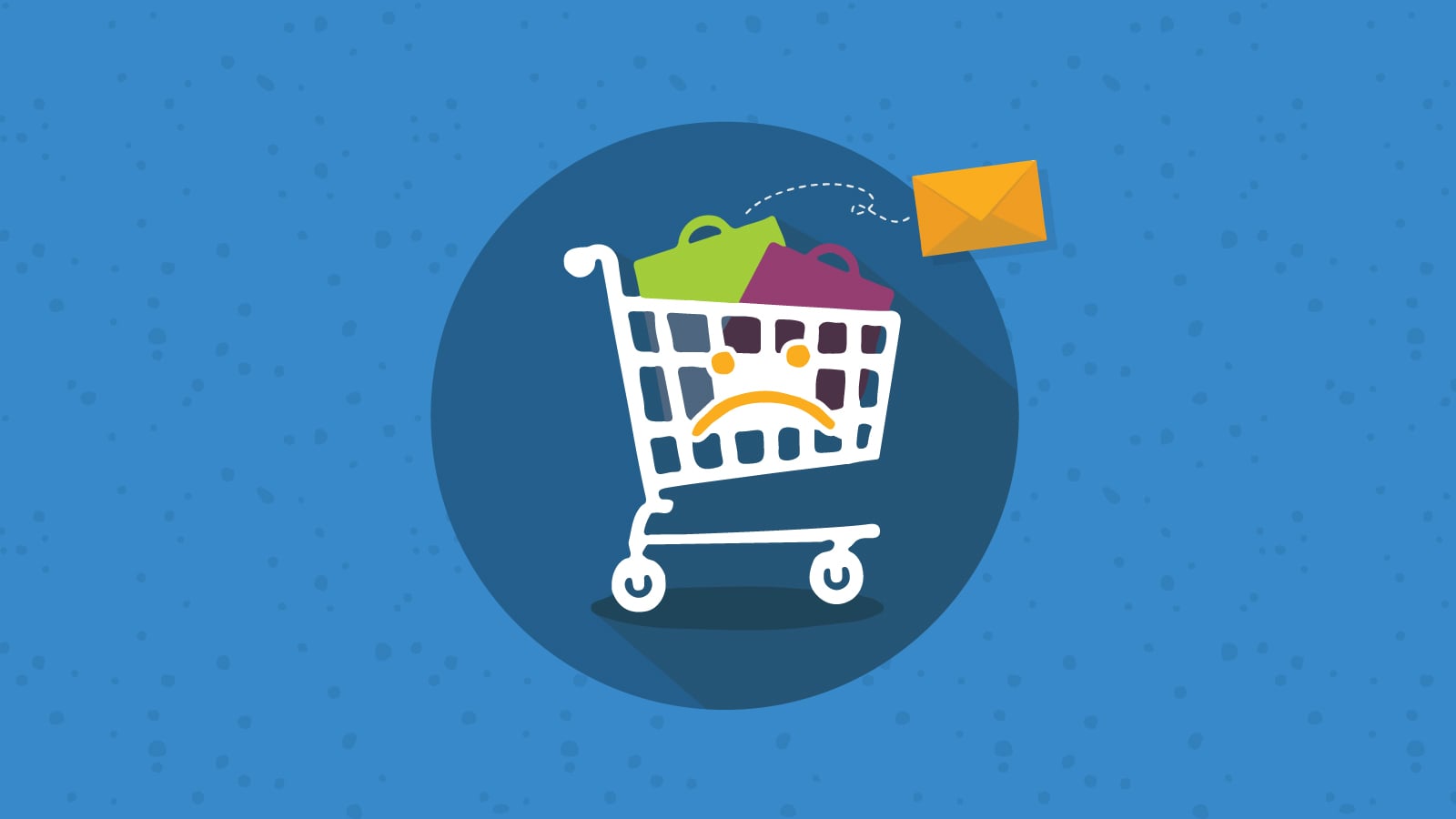
Around 70% of shoppers who add something to a cart leave without buying. Most of them aren’t gone — they got distracted, had a question, hit a friction point, or wanted time to think. A well-timed email sequence brings a meaningful portion of them back. This guide covers the sequence structure, the actual emails to send, and how to set them up for free on WooCommerce.
Abandoned cart emails have higher open rates than almost any other automated email — typically 40-50% compared to 20-25% for standard campaigns — because the recipient was interested enough to add something to a cart five minutes ago. They’re not cold leads. They just didn’t finish. A timely email is often all it takes.
Why Carts Are Abandoned — and Why It Matters for Your Emails
Baymard Institute’s research across 50+ studies puts the average cart abandonment rate at around 70-72%. But the reason for abandonment determines what the recovery email should say. Treating every abandonment the same way — with the same generic “you left something behind” message and an immediate discount — leaves money on the table and trains customers to expect a coupon every time they don’t buy.
~43%
Just browsing
Not ready to buy — a simple reminder with cart contents is the right move, not urgency tactics
~48%
Shipping costs
Surprised by delivery cost at checkout — Email 2 can directly address this
~26%
Forced to create account
Checkout friction — a guest checkout option removes this permanently
~17%
Trust concerns
Unsure about the store — Email 2 with reviews and trust signals helps here
~13%
Payment issues
Card declined, MoMo failed, preferred method not available — Email 1 can offer alternatives
~11%
Price hesitation
Wanted to compare prices or think it over — Email 3’s incentive is aimed here
This breakdown explains the logic of a 3-email sequence, where each email targets a different likely reason — rather than throwing a discount at the first email and hoping for the best.
The 3-Email Sequence That Recovers Most Carts
Industry data consistently shows that a 3-email sequence across 48-72 hours recovers more carts than a single email or an aggressive 5-message flood. The structure below is the framework — you’ll adapt the copy to your brand’s voice and product type.
📦
Email 1 — The Helpful Nudge
Send 1 hour after abandonment · No discount · Just a reminder
Purpose: Assume good intent — they got distracted, had a technical issue, or wanted to think. Show them exactly what they left behind (product name, image, price) and give them a one-click link back to their cart. No pressure, no discount yet. The majority of recovered carts from this email come from people who fully intended to buy and just didn’t finish.
Subject line options
You left something behind, [First Name]
— or —
Your cart is still waiting for you
— or —
Did something go wrong at checkout?
Email body (adapt to your voice)
Hi [First Name],
It looks like you left [Product Name] in your cart.
Happens to the best of us — maybe you got pulled away, or something didn’t go through at checkout.
Your cart is saved and still waiting for you:
→ [Complete Your Order — direct cart link]
If you had any trouble with payment, we accept [MoMo / card / bank transfer — list your options]. Reply to this email if you need help.
[Your name]
[Business name]
⭐
Email 2 — Address the Objection
Send 24 hours after abandonment · Trust signals and shipping clarity
Purpose: The people who didn’t come back after Email 1 likely had a real hesitation — shipping cost, trust, or wanting to think it over. This email addresses those directly: clarify your delivery cost and timeframe, add 2-3 customer reviews or testimonials, and reinforce what makes your store trustworthy. Still no discount.
Subject line options
Here’s what other customers say about [Product/Store]
— or —
Quick question about your order
— or —
Your [Product Name] — a few things you should know
Email body
Hi [First Name],
Still thinking about [Product Name]?
Here’s what a few customers said:
⭐ “[Customer review 1]” — [Name or initials]
⭐ “[Customer review 2]” — [Name or initials]
On delivery: we ship to [your coverage area] in [X-Y] days.
Delivery costs [amount / or: is free on orders over GHS XX].
We accept [MoMo / card / bank transfer] — choose what works for you at checkout.
Your cart is still saved:
→ [Complete Your Order]
Any questions? Reply here or WhatsApp us at [number].
[Your name]
🎯
Email 3 — The Final Incentive
Send 48-72 hours after abandonment · Discount or urgency · Last email
Purpose: For people who saw both earlier emails and still didn’t buy, price hesitation is the most likely remaining barrier. This is the email where a discount makes sense — but only here, not on Email 1 or 2. Offer a modest incentive (10% off, free delivery, a small bonus) with a genuine deadline. After this email, let it go — don’t send a fourth and fifth email chasing people who’ve clearly decided not to buy right now.
Subject line options
Last chance — 10% off your order, [First Name]
— or —
Your cart expires soon — here’s something to help
— or —
[Product Name] — a small gift if you’re still interested
Email body
Hi [First Name],
This is our last email about your cart — we don’t want to be a bother.
But before we let it go: here’s 10% off if you’d like to complete your order.
Use code SAVE10 at checkout.
→ [Complete My Order — 10% Off]
This code expires in [24 / 48] hours.
If the timing just isn’t right, no worries — we hope to see you when it is.
[Your name]
The sequence logic in plain terms: Email 1 assumes they forgot. Email 2 assumes they hesitated. Email 3 assumes they need a push. Each one costs nothing extra if the previous email already recovered the cart — the customer simply won’t receive subsequent emails in the sequence once they complete the purchase.
Before vs After: The Cart Recovery Approach
❌ The common (wrong) approach
Customer adds GHS 250 of products to cart and leaves. Store owner notices in the dashboard the next morning. Sends a manual WhatsApp message “hi, did you want to complete your order?” — or nothing at all. 24 hours later, the intent has cooled significantly. No recovery happens. This plays out dozens of times per month.
✅ Automated 3-email sequence
Same customer leaves cart. 1 hour later: automated Email 1 with cart contents and a link arrives while intent is still hot. 24 hours later: Email 2 with reviews and delivery info arrives. 48 hours later (if still not purchased): Email 3 with a 10% discount code expires in 24 hours. Recovery rates for this pattern: 15-30% of abandoned carts. All automated — zero manual effort per cart.
Free Tools to Set This Up
Setting Up Cart Recovery on WooCommerce (CartFlows Plugin)
1
WordPress Admin
Install the Cart Abandonment Recovery plugin
In WordPress admin: Plugins → Add New → search “Cart Abandonment Recovery” (by CartFlows) → Install → Activate. The plugin is free on WordPress.org and actively maintained. Once activated, a “Cart Abandonment” item appears in your WordPress admin menu.
2
Plugin Settings
Configure the wait time and email capture
Go to Cart Abandonment → Settings. Set the “Cart Abandonment Time” — how long after a customer leaves the checkout page before they’re considered “abandoned.” 15-20 minutes is a reasonable default (long enough to exclude accidental closures, short enough that the first email still arrives within an hour of the actual abandonment). The plugin automatically captures the customer’s email from the WooCommerce checkout fields.
✓ The plugin captures guest emails as soon as the customer types their email into the checkout form — before they submit the order. This means you capture abandons from logged-out customers, not just registered users.
3
Email Templates
Build your 3-email sequence
Go to Cart Abandonment → Email Templates → Add New. Create Email 1 with the subject line and body from the sequence above, set the delay to 1 hour. Add a second template for Email 2 (24-hour delay, objection-handling copy). Add a third for Email 3 (48-72 hour delay, discount code). Each template supports shortcodes for the customer’s name ({{customer.name}}), cart contents ({{cart.table}}), and a unique cart recovery link ({{checkout.url}}).
⚠️ The “Coupon Code” field in Email 3’s template requires you to create the coupon in WooCommerce first (Marketing → Coupons → Add new) before referencing it in the email. Create it as a percentage discount with a future expiry date, then add the code to the email template.
4
Test
Run a real test abandonment before going live
Add a product to your own cart using a different email address (a personal Gmail, not your admin email), fill in the checkout form with your test email, then close the tab without completing the order. Wait 20 minutes (or your configured abandonment window) and verify: (a) the customer appears in Cart Abandonment → Abandoned Carts, (b) the first email arrives at the right time with the correct cart contents and recovery link, (c) clicking the recovery link restores the cart correctly.
5
Monitor
Check the recovery report weekly
Cart Abandonment → Reports shows abandoned carts, emails sent, and recovered orders. After 2-3 weeks of data, look at which email in the sequence has the highest recovery rate — this tells you where customers were on the fence and what finally moved them. If Email 3 (discount) is recovering far more than Emails 1 and 2, experiment with a small incentive in Email 2 as well. If Email 1 alone recovers most carts, the later emails are mostly insurance.
The Discount-Every-Time Trap
The most commonly cited expert warning about abandoned cart emails — including from Retainful’s CEO after working with 100,000+ WooCommerce stores — is this: if you send a discount in every cart recovery email, customers learn to abandon carts on purpose to get one.
It sounds theoretical until you notice the pattern: a customer who’s bought from you twice before is abandoning their cart at an unusually high rate. They’re not hesitating — they’re waiting for the coupon email. At that point, you’re paying a discount on sales you would have made anyway, eroding margins on your most loyal customers.
❌ Discount in Email 1
“You left something behind — here’s 15% off to come back!” sent within an hour of abandonment. Trains every customer (including those who were genuinely going to buy anyway) to expect a discount the moment they leave the cart. Margins erode. Customers who know about this pattern start abandoning intentionally.
✅ Discount only in Email 3
Email 1: no discount, just a cart reminder. Email 2: no discount, just trust signals. Email 3 only (for those who’ve seen two emails and still haven’t bought): a modest incentive with a 24-48 hour deadline. Customers who were going to buy anyway do so from Email 1 or 2, full price. The discount reaches only those who genuinely needed it to convert.
Common Mistakes to Avoid
❌ Sending cart recovery emails to customers who couldn’t have opted in
In many markets, sending marketing emails to addresses collected during an incomplete checkout (where no purchase was made and no explicit opt-in occurred) has legal implications under data protection regulations. The specific rules vary by country — Ghana’s Data Protection Act and Nigeria’s NDPR both have requirements around consent for marketing communications.
→ Fix: Add a checkbox at checkout (“Send me updates about my order and offers”) and only send cart recovery emails to customers who ticked it — or at minimum include a clear unsubscribe link in every email. Check the current requirements for your specific market before deploying at scale.
❌ Generic subject lines that look like spam
“You left items in your cart” is the most common abandoned cart subject line — which means it’s also the one customers have learned to ignore. A personalised subject line using the customer’s first name or the actual product name substantially outperforms the generic version.
→ Fix: Use the customer name shortcode ({{customer.name}}) in the subject line of at least Email 1. “Ama, your Ankara Tote Bag is still in your cart” outperforms “Items left in your cart” consistently.
❌ Recovery link that goes to the homepage, not the cart
Some basic email setups link back to the store homepage, which forces the customer to find the product again from scratch — adding friction that kills conversions from people who were already willing to return. The entire point of a recovery email is one-click cart restoration.
→ Fix: Verify that the recovery link in your email template (the {{checkout.url}} shortcode in CartFlows, or equivalent) actually restores the cart and takes the customer directly to checkout with their items pre-populated — test this yourself before going live.
❌ Not integrating with your other order tracking automation
If a customer recovers their cart via Email 1 and completes a purchase, the abandoned cart sequence should stop — but it also means a new order has been placed, which should trigger your WooCommerce order webhook (covered in the order management guide) and your Paystack/Flutterwave confirmation automation. If these systems don’t “know” about each other, the customer might receive both a cart recovery Email 2 and an order confirmation simultaneously, which looks disorganised.
→ Fix: CartFlows and most cart recovery plugins automatically stop the sequence when an order is placed for the abandoned cart — verify this in your plugin’s settings. The order confirmation automation handles itself separately via the payment/WooCommerce webhooks already set up from earlier guides.
❌ Never looking at the recovery report
Setting up a 3-email sequence and forgetting about it means missing the data that would let you improve it. After 4-6 weeks, a sequence that was set-and-forgot may have a recoverable issue — a broken link, an email going to spam, a coupon code that expired — that’s silently costing recovered revenue without anyone noticing.
→ Fix: Check the Cart Abandonment report every week for the first month, then monthly after that. Look for trends: recovery rate dropping, specific email with a much lower open rate than the others, or the coupon code being used before its email was sent (possible sign of customers sharing the code).
Frequently Asked Questions
What recovery rate should I expect?
Industry benchmarks put average cart recovery rates at 3-5% of total abandoned carts, with top performers reaching 10-14%. The 15-30% figure cited in some sources refers to the percentage of carts that generate a recovery email click, not necessarily completed orders from all abandoned carts. A realistic first-month expectation with a 3-email sequence: recovering 5-10% of carts where the customer provided an email address and consented to contact. That number improves over time as you refine subject lines, timing, and email copy based on your specific customers’ behaviour.
What if the customer didn’t enter their email before abandoning?
Email-based recovery only works if you have the customer’s email — which means they have to have gotten far enough into checkout to type it in. Customers who abandon earlier (adding to cart but never reaching checkout) can’t be reached by email. This is why some stores layer cart recovery with retargeting ads (Facebook/Instagram ads that show the abandoned product to the visitor) as a complementary channel, though that’s beyond the scope of free tools. For the email-only approach, the focus is entirely on checkout abandonments, not browse abandonments.
Does this work for stores that accept Mobile Money?
Yes, and the abandoned cart email is actually more valuable for MoMo-heavy stores specifically. MoMo payments can fail or time out — a customer may have started the MoMo payment, it didn’t go through, and the order is technically “abandoned” but the customer may have been trying to pay. Email 1’s “Did something go wrong at checkout?” framing directly addresses this, and listing your available payment alternatives (including MoMo instructions or a payment link from Paystack/Flutterwave) gives them a clear path to complete the order with a different method if the first attempt failed.
Should I also send WhatsApp recovery messages?
WhatsApp recovery messages — if you have the customer’s phone number from a partial checkout and they’ve opted in for communication — have dramatically higher open rates than email (90%+), making them highly effective. The multi-channel approach that performs best: email at 1 hour, WhatsApp message at 3-4 hours for non-openers, email with social proof at 24 hours. This does require more setup (the WhatsApp Business API + Make.com integration from earlier guides) and careful attention to consent — but for stores where WhatsApp is the primary customer communication channel anyway, it’s worth building once the email sequence is working.
Set It Up Once, Recover Carts Indefinitely
The initial setup — installing the plugin, writing the three email templates, testing with a dummy cart — takes an hour or two. After that, the sequence runs automatically for every abandoned cart, indefinitely, without any additional work. Check the recovery report monthly, update the coupon code when it expires, and occasionally refine the subject lines based on open rate data. That’s the ongoing maintenance.
The practical order: build the 3-email sequence (free, this guide), test it properly, run it for 4 weeks, then look at the data before deciding whether to invest in a paid platform’s additional segmentation or WhatsApp layer. Most stores will find the free setup recovers meaningful revenue long before that decision becomes pressing.
More at OurInternetBusiness.com
Practical guides on automation, online business systems, and growing income from Ghana and across Africa. Visit OurInternetBusiness.com and bookmark it.